The order of your services on the Services Menu page will be the same order that services will be shown in the services filter on the appointment modal, on the services menu, and on the booking widget.
Things to know:
- The ability to reorder services in the Services Menu is controlled by the "Accessing Services Menu" access control setting.
- For franchise businesses, services at the child level are organized into two categories: global and local. You will see global services followed by global add-ons, and local services followed by local add-ons.
- For franchise businesses, you can reorder global services only within the global services group, and local services only within the local services group. You cannot mix or reorder local services within the global services section, or vice versa.
- Global services can only be reordered at the parent level for franchise businesses.
- The setup option displayed in the top-right user menu depends on how you access the account and your assigned role:
- When navigating from the Parent Account (Location Management tab):
- Admin: Displays Business Setup when viewing the location account.
- Login As: Displays Location Setup when viewing the location account.
- When logged in directly at the Location Level:
- Location Owners & Location Managers: Display Location Setup.
- Service Providers & All Other Roles: Display Profile Setup.
You can reorder your service list at any time from the Services Menu page by simply:
- Go to Business Setup / Location Setup > Services
- Hover your mouse over the three vertical lines to the left of the service variation you want to move
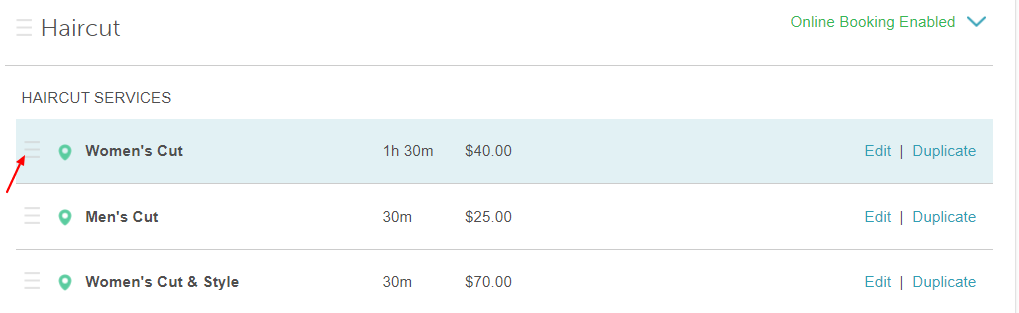
- Click and drag the service to your desired order, then release
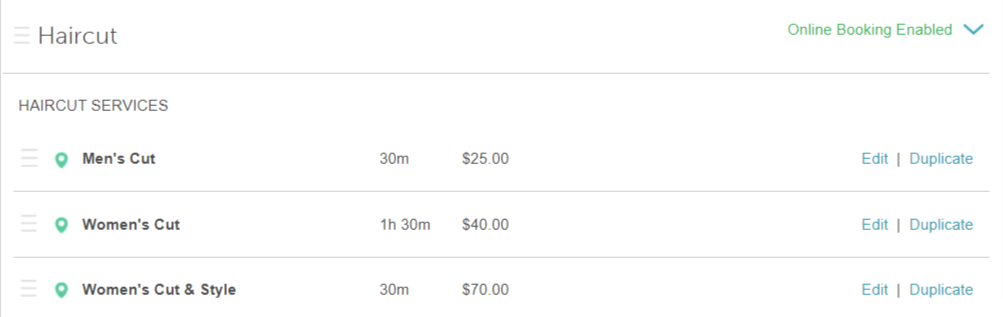
The same applies to reordering service categories. To reorder a service category:
- Hover over the three vertical lines to the left of the service category
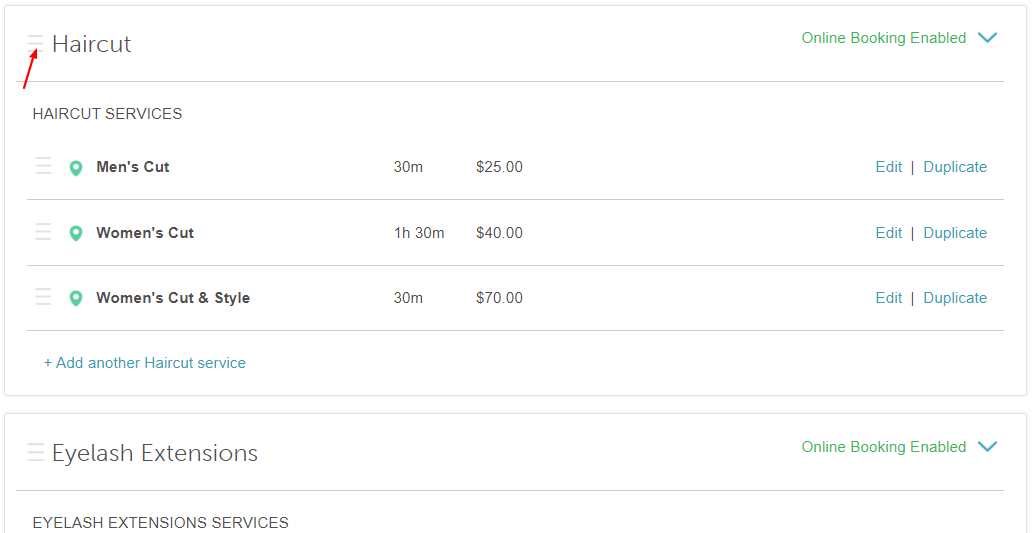
- Click and drag the service category until you reach the desired order. In the example below, we moved the Haircut category beneath the Eyelash Extensions category.

For more information, contact us at support@mytime.com or (385) 233-6964.
Related Articles:
Was this article helpful?
That’s Great!
Thank you for your feedback
Sorry! We couldn't be helpful
Thank you for your feedback
Feedback sent
We appreciate your effort and will try to fix the article