MyTime allows you to filter appointments on the scheduler by client, family member, or pet, but only from events that are visible on the screen.
Things to know:
- The ability to search for appointments on the schedule is controlled by the "Accessing Appointments" access control permission.
- Only the Agenda and Day views display the search box. It does not appear in the Week, Month, or Split views.
- The search box is only visible on the desktop. It does not appear in mobile or tablet mode
- You can search by client information (email, phone, name) or the name of a family member, pet, or vehicle.
- The format of the results will be Client Name (Pet/family member/vehicle Name)
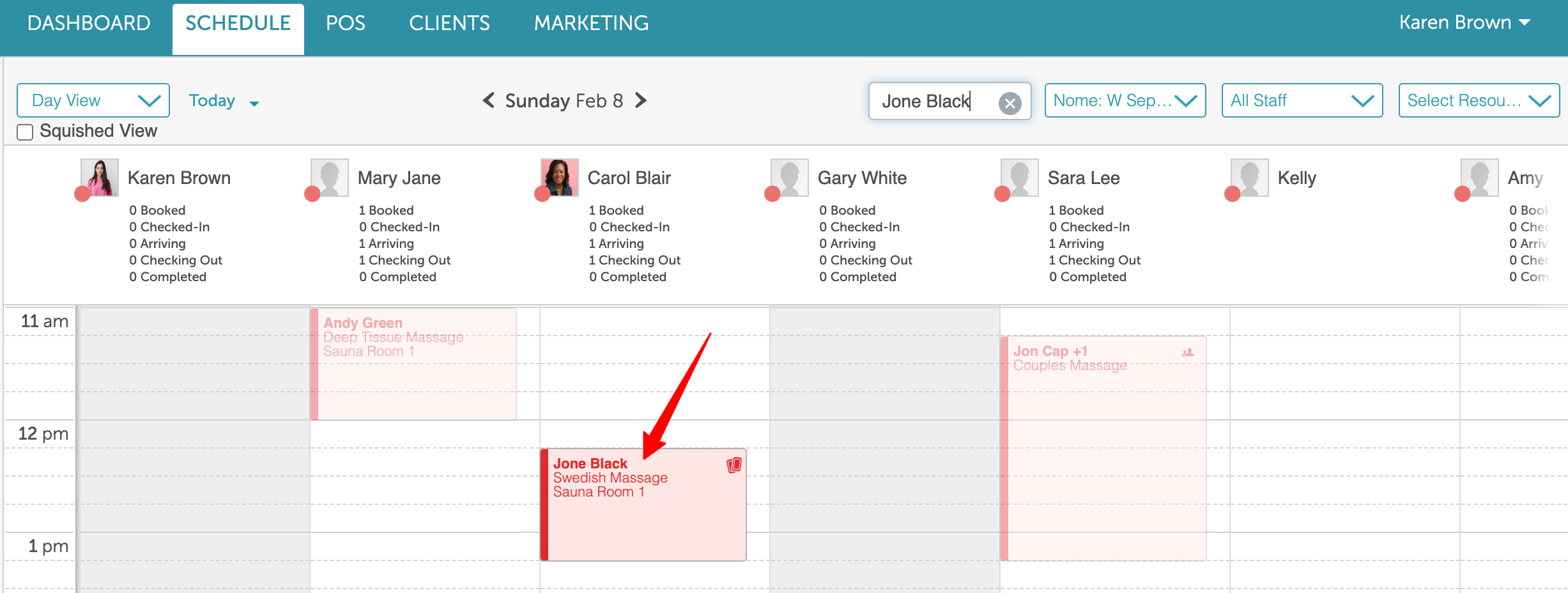
- Appointments that are not for the chosen client will be transparent
- Tooltips will not appear on appointment tiles in the week or month view if the schedule contains more than 100 appointments to improve loading time and performance.
- The option to view the schedule in a compact "squished" format is controlled by a hidden setting that can only be activated by the MyTime team. When enabled, a "Squished View" checkbox becomes available under the Scheduler View toggle. By default, this checkbox is unchecked. When selected, the horizontal scroll is removed, allowing all staff members to be displayed simultaneously. Month and week views are not affected by this setting.
To quickly find appointments for a specific client, family member, or pet:
- Go to the Schedule
- Switch to Day or Agenda view
- Use the search bar at the top of the schedule to enter the name of the client, family member, or pet
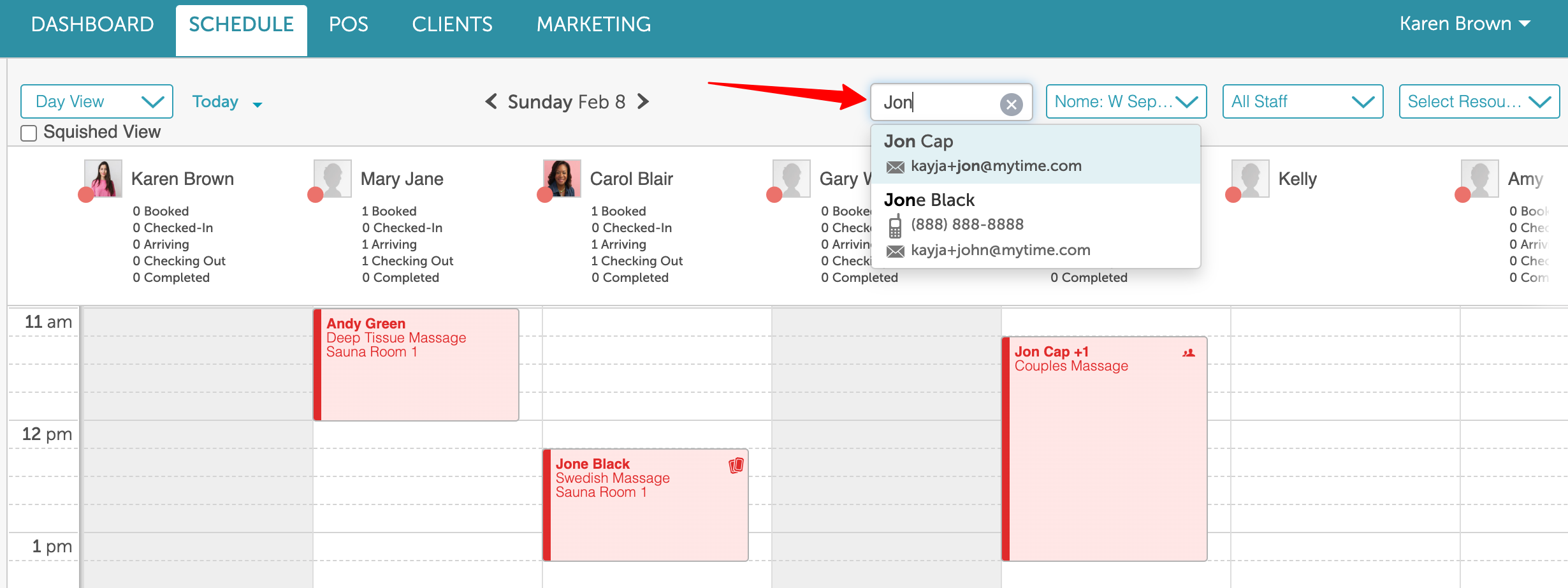
- Select the correct result from the dropdown
- Once selected:
- The matching appointments will be highlighted and brought into view
- All other appointments will appear grayed out, making it easier to focus on the selected client’s schedule
Related Articles
Scheduling Appointments for Clients
Scheduling Appointments for Family Members
Scheduling Appointments for Pets
Booking Appointments Online for Clients
Booking Appointments Online for a Single Family Member
Booking Appointments for Multiple Family Members Online
Booking Appointments Online for a Single Pet
Booking Appointments for Multiple Pets Online
Filter Schedule By Day, Week, Month, Agenda, Split & Resource View
Was this article helpful?
That’s Great!
Thank you for your feedback
Sorry! We couldn't be helpful
Thank you for your feedback
Feedback sent
We appreciate your effort and will try to fix the article