This article explains how to create and manage membership intake forms in MyTime. It covers how to build custom intake questions, assign the form to specific memberships, and understand when and how clients are prompted to complete the form during signup.
Things to know:
- The ability to create membership waivers and intake forms is governed by the "Manage Client Setup" access control setting.
- For franchise businesses, membership intake forms can be created at both the parent (franchisor) and child (franchisee) levels.
- Before creating the membership waiver, you will be required to create waivers and membership custom fields
- You can learn more about creating waivers here
- You can learn more about creating custom fields here.
CONTENTS:
Creating Membership Waivers
- Navigate to the Clients tab
- Expand the Manage Clients menu
- Select Customize Client Fields
- Click the Add Field hyperlink

- Expand the Field Type section and choose 'Waiver' from the drop-down menu
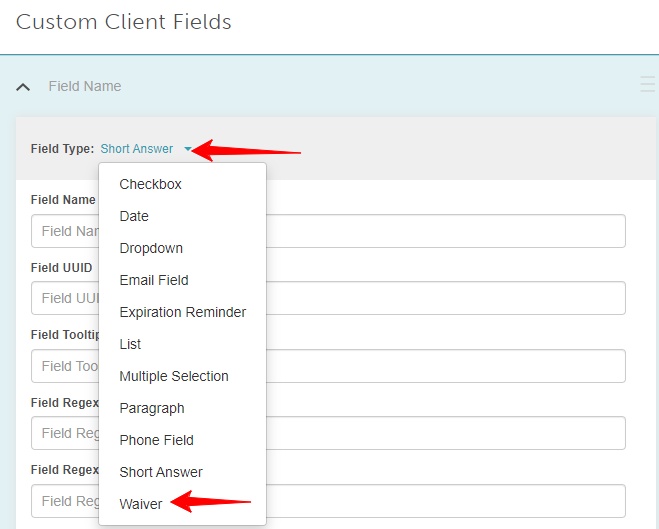
- Fill in the necessary information in the applicable fields
- Field Name: Name of the waiver
- Content: The details you want to include in the waiver
- Expiration: The length of the waiver expiration after completion
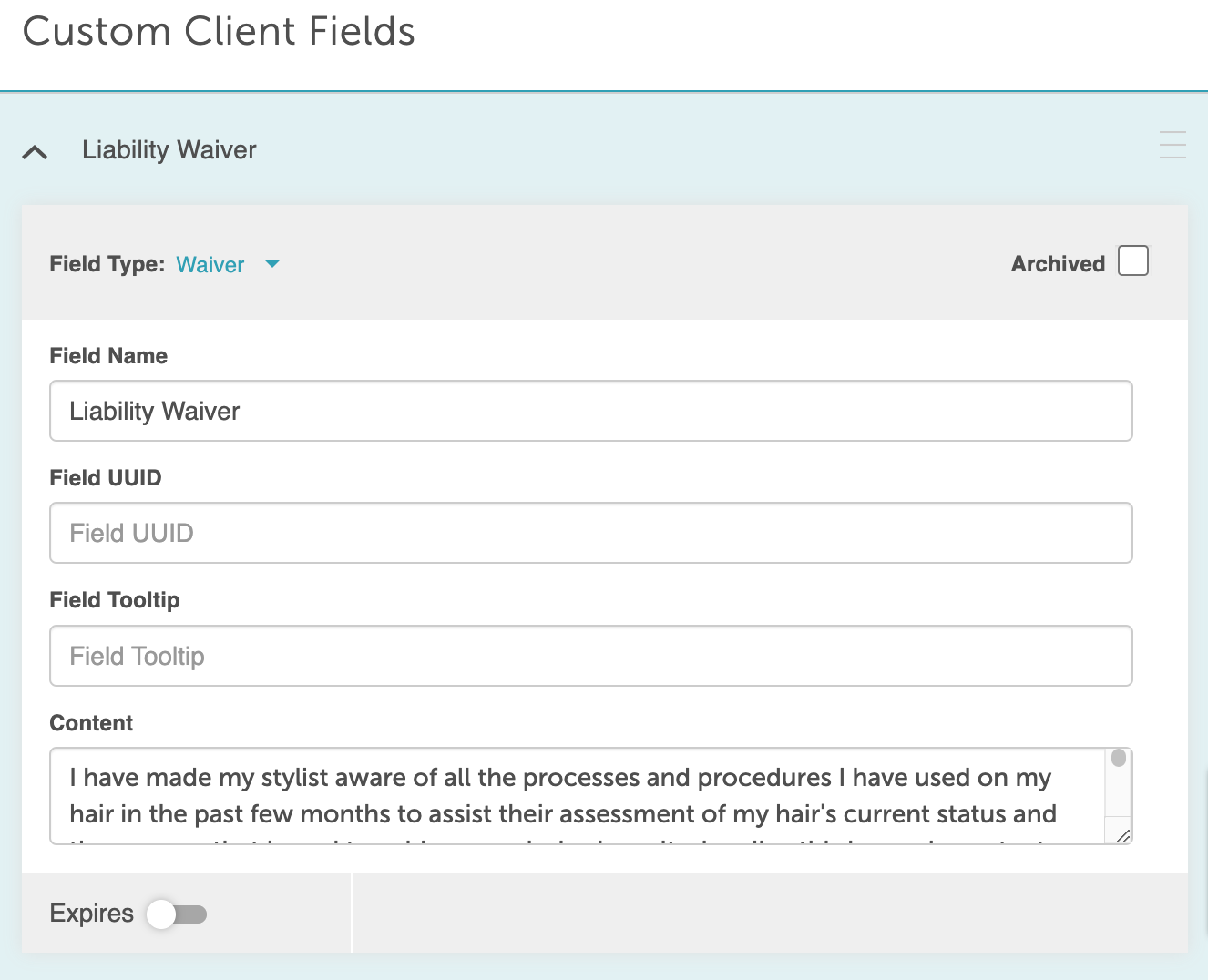
- The preview will appear once the details have been entered
- Save
Creating Membership Intake Forms
- Navigate to the Clients tab
- Select the Intake Form option to continue
- Click 'Create New Intake Form' under either the Client Intake Form or Pet/Family Member Intake Form section
- Name your form (e.g., Membership Intake Form)
- Under Services, find the Memberships section and select the memberships this form should apply to.
- Save the form
- On the left side, you'll see a list of Custom Fields and Default Fields
- Select the fields you want to included in the membership waiver
- The selected fields will appear under the intake form
- You can expand each field to:
- Add a description
- Make the field required
- Specify if the field should be asked every time
- The membership intake form will be automatically saved


For more information, contact us at support@mytime.com or (385) 233-6964.
Related Articles:
Generating Membership Waivers In-Store
Was this article helpful?
That’s Great!
Thank you for your feedback
Sorry! We couldn't be helpful
Thank you for your feedback
Feedback sent
We appreciate your effort and will try to fix the article