This article explains how commissions are calculated and earned from appointment cancellation fees.
Things to know:
- The ability to configure commission for cancellation fees is governed by the "Accessing Staff Compensation" access control setting.
- A cancellation policy must be enabled before cancellation fees can be charged. Learn more here.
- Commission on cancellation fees can be based on either a flat amount or a percentage:
- Flat Amount: A fixed amount paid per cancellation fee
- Percentage: A set percentage of the cancellation fee
- If an appointment involves multiple staff members, the cancellation fee revenue is split equally among them. Each staff member's commission is then calculated based on their individual share and their specific commission rate:
- A $55 cancellation fee split between 2 staff members gives each $27.50
- Staff A at 10% commission earns $2.75 ($27.50 × 10%)
- Staff B at 20% commission earns $5.50 ($27.50 × 20%)
- Deposit Rules & Cancellation Fees
- A service cannot have both a deposit and a cancellation fee assigned simultaneously.
- When a client with a prepaid deposit cancels, the system automatically converts that deposit into the cancellation fee. The total amount previously paid remains unchanged—no additional charge or automatic refund is processed.
- If staff waive or skip collecting a deposit during booking, no cancellation fee will be charged if the appointment is later canceled.
- Converted deposits appear as "Appointment Cancellation Fee" on the client's ticket and
- When a ticket is fully refunded, the commission will be removed. If partially refunded, the commission will be adjusted based on the remaining amount.
- The setup option displayed in the top-right user menu depends on how you access the account and your assigned role:
- When navigating from the Parent Account (Location Management tab):
- Admin: Displays Business Setup when viewing the location account.
- Login As: Displays Location Setup when viewing the location account.
- When logged in directly at the Location Level:
- Location Owners & Location Managers: Display Location Setup.
- Service Providers & All Other Roles: Display Profile Setup.
Contents:
- Enabling Staff Cancellation Fees Setting
- Setup Cancellation Fee Commission
- Process Payment for Cancellation Fee in POS
Enabling Staff Cancellation Fees Setting
- Navigate to Business Setup / Location Setup > Settings
- Scroll to the Staff settings section
- Locate the "Give cancellation fee to staff member(s) on appointment?" company setting

- Toggle to 'Yes'
- Save the changes
Setup Cancellation Fee Commission
To set up staff commissions for appointment cancellation fees:
- Navigate to Business Setup / Location Setup > Staff & Availability
- Filter by the desired location
- Select the staff member's profile
- Scroll down to the Compensation Reporting > Cancellation Fee Commissions section
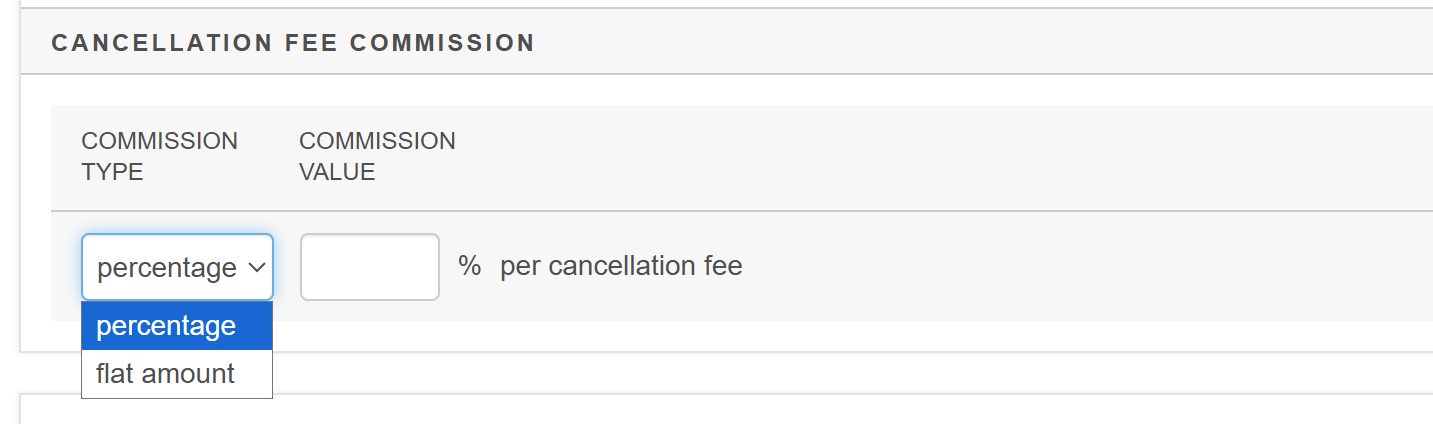
- Set the commission type to flat amount or percentage, then add the value
- Save the profile
Process Payment for Cancellation Fee in POS
- Navigate to Schedule
- Select the appropriate location and date
- Locate the appointment you wish to cancel and click to open it
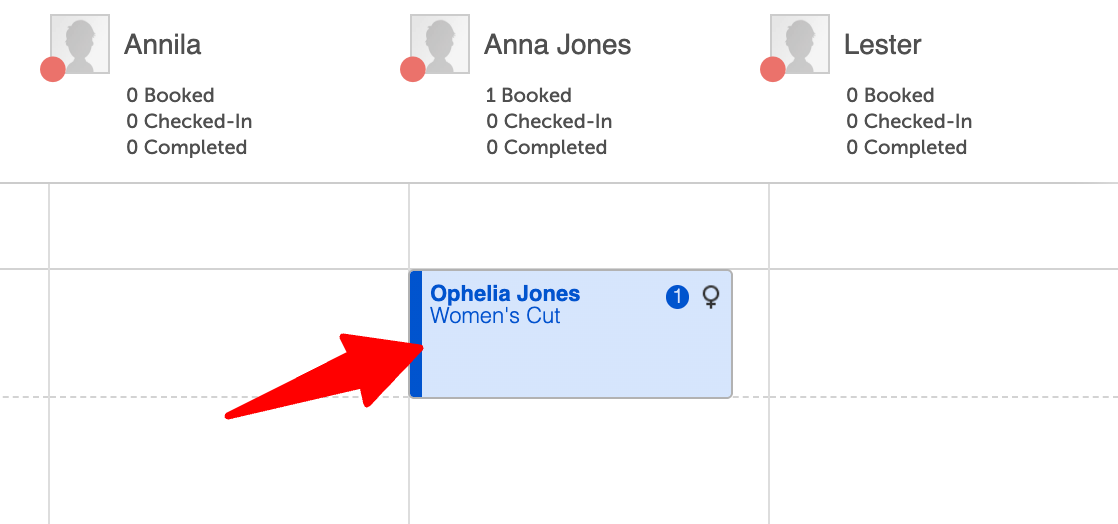
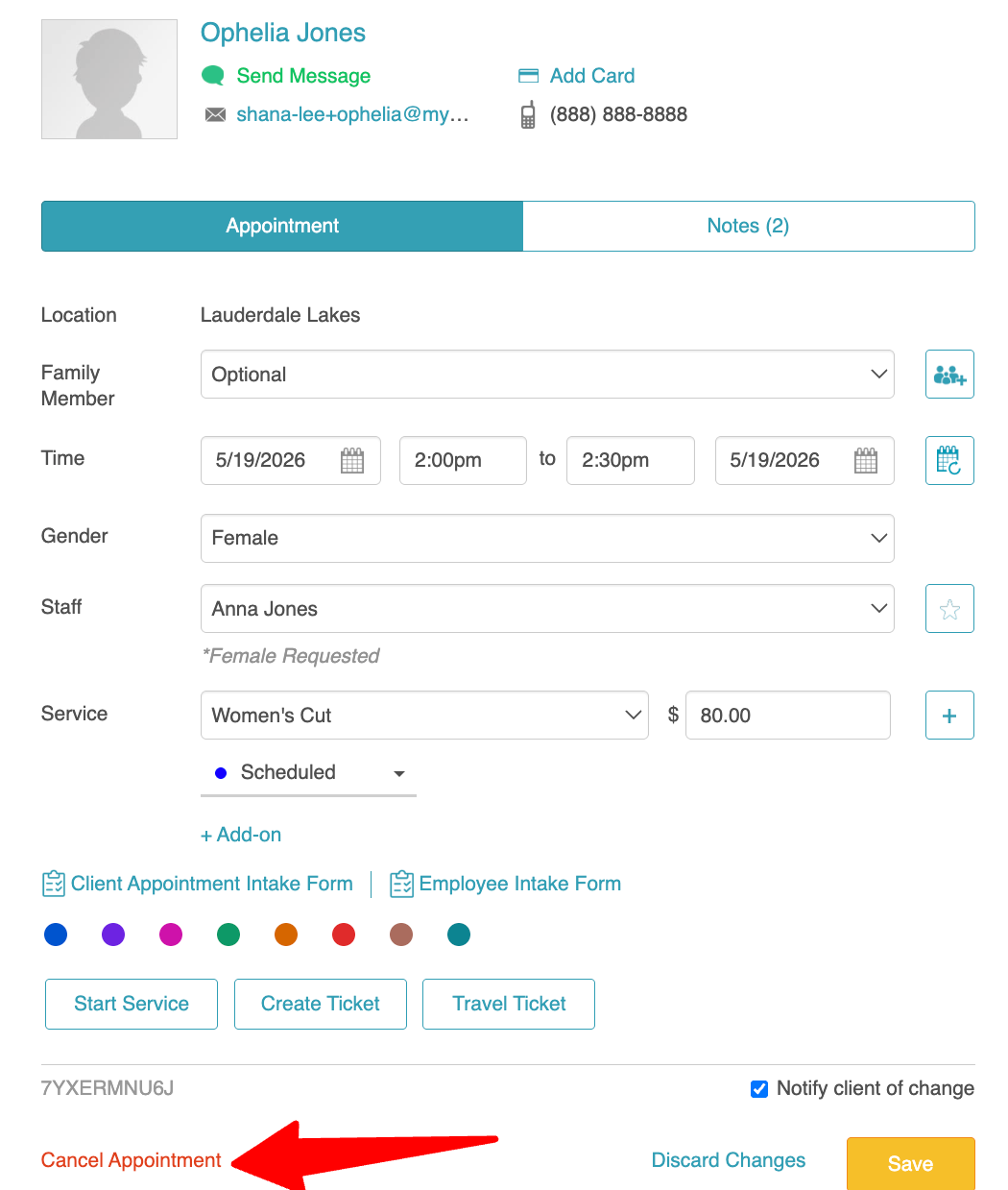
- Select the "Cancel Appointment" link at the bottom left of the appointment modal
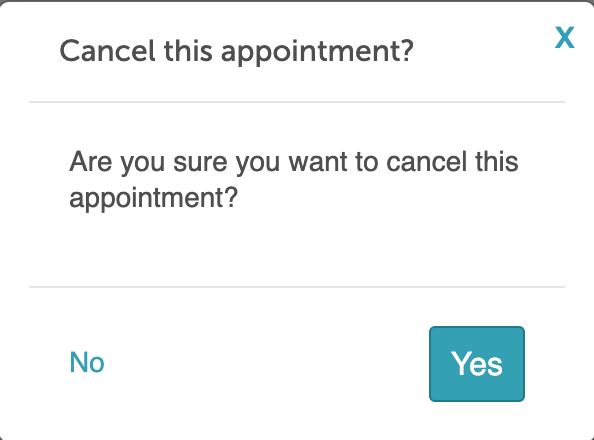
- Click 'Yes' on the 'Cancel this appointment' pop-up
- Select your cancellation reason (if configured) and then click "Cancel Appointment"
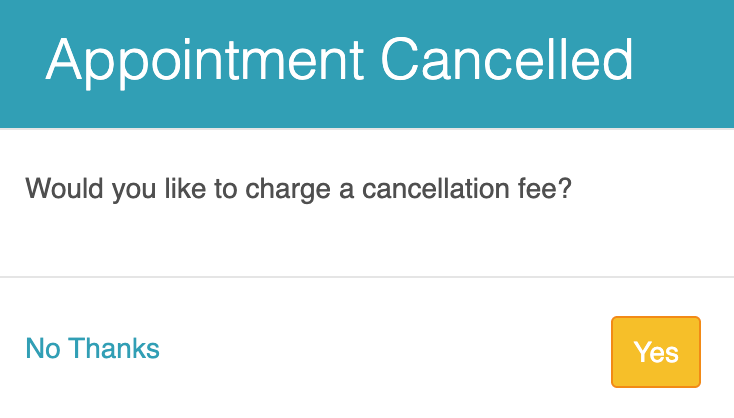
- Click 'Yes' on the "Appointment Cancelled" pop-up to charge the client
- You will be directed to POS > New Ticket
- Select the "Take Payment" button
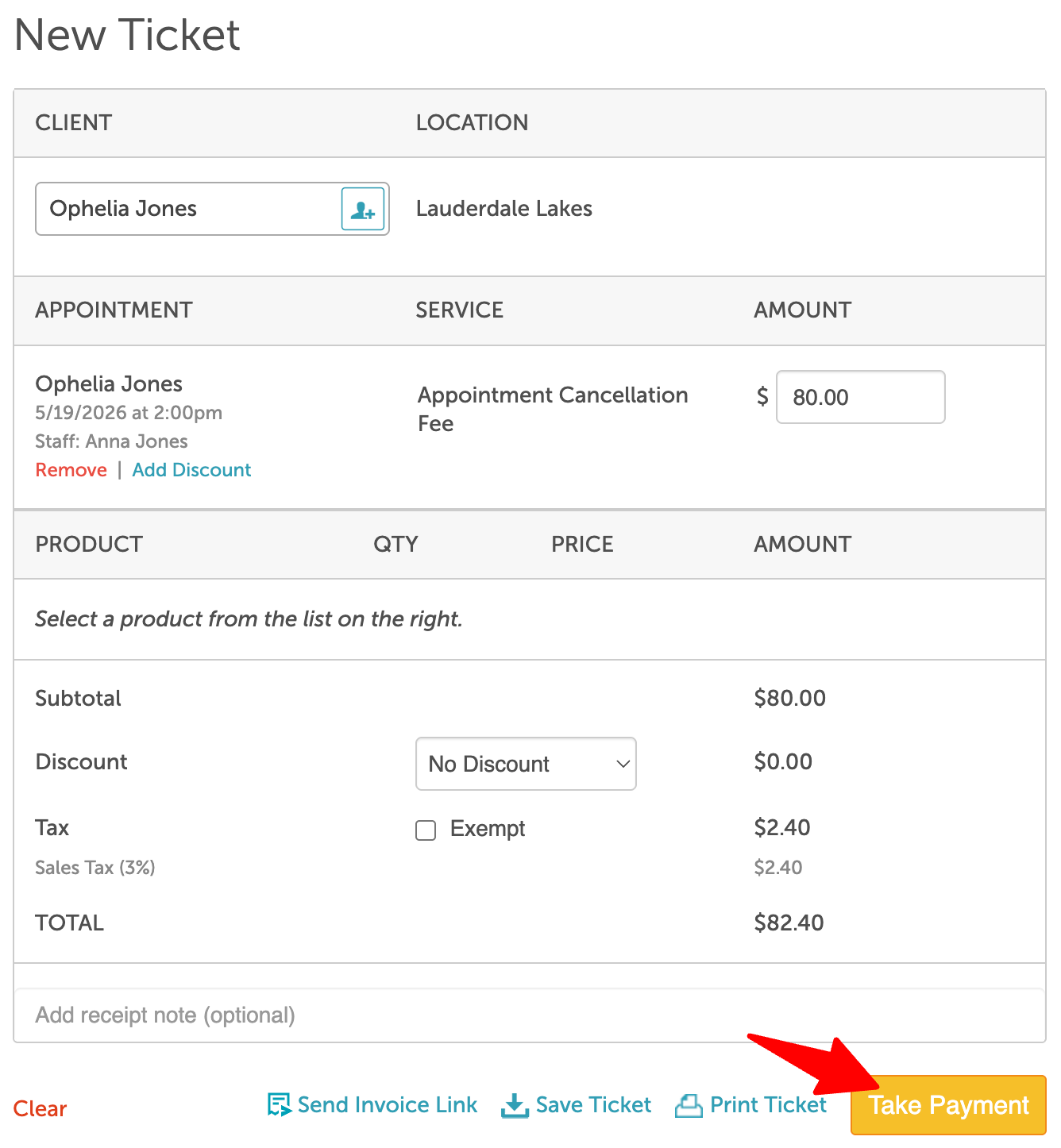
- Add the desired payment method, then close the ticket
Commission for the cancellation fee will be paid to the staff member assigned to the canceled appointment.
Example
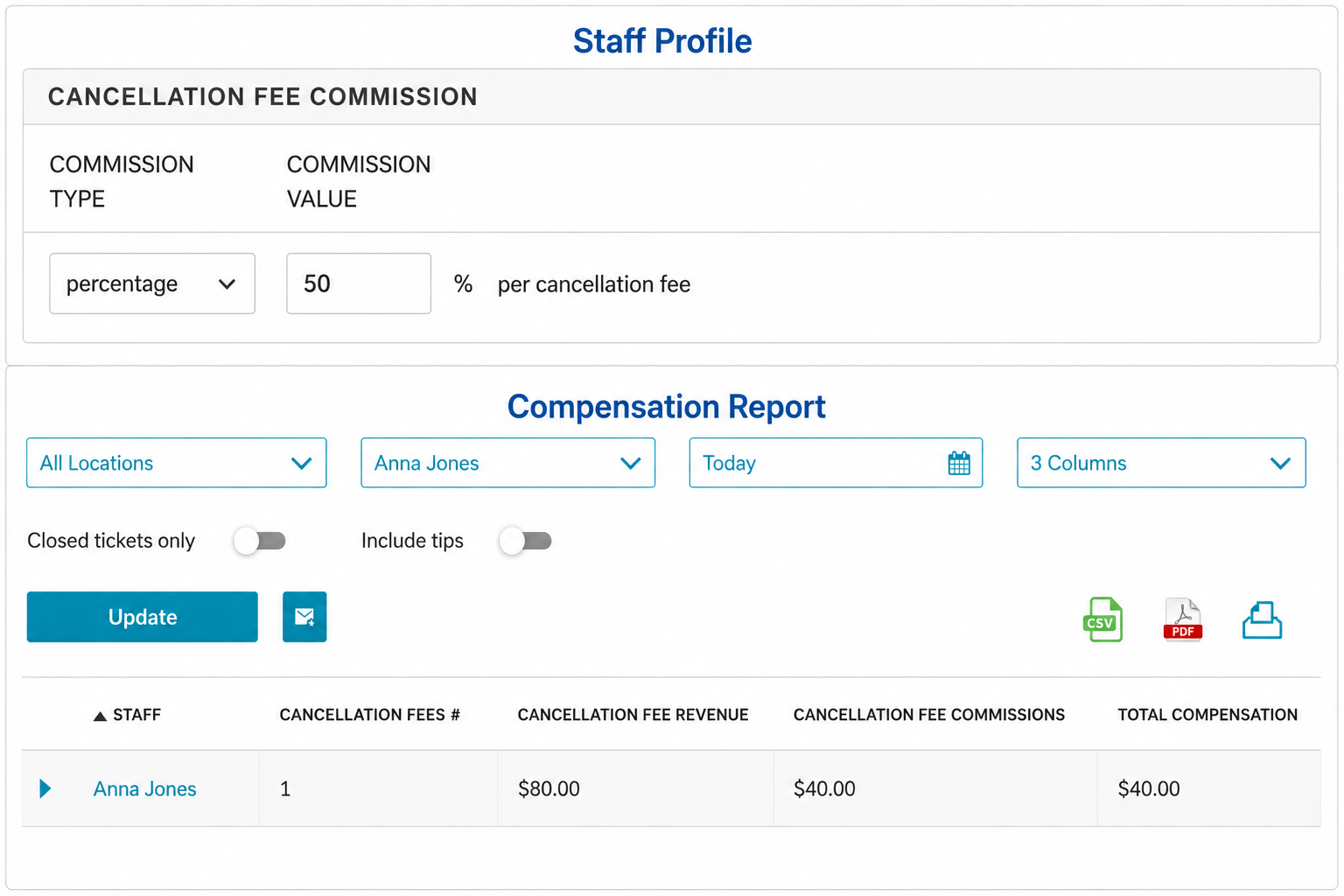
- Staff Member: Anna Jones
- Cancellation Fee Commission Type: Percentage
- Commission Value: 50%
- Cancellation Fee: $80
Total Commission: $80 × 50% = $40
For more information, contact support@mytime.com.
Related Articles:
- Cancellation Policy for Appointments
- Appointment Cancellation Reasons
- Compensation for Services
- Compensation on Product Sales
- Compensation for Classes/Events
- Compensation on Package Sales
- Compensation on Membership Sales
- Compensation on Gift Card Sales
- Daily Compensation Report
- Compensation (by Pay Cycle) Report
Was this article helpful?
That’s Great!
Thank you for your feedback
Sorry! We couldn't be helpful
Thank you for your feedback
Feedback sent
We appreciate your effort and will try to fix the article