In this article, we will walk through the process of deleting family member profiles.
Things to know:
- The ability to delete family members is governed by the "Deleting Clients" access control setting.
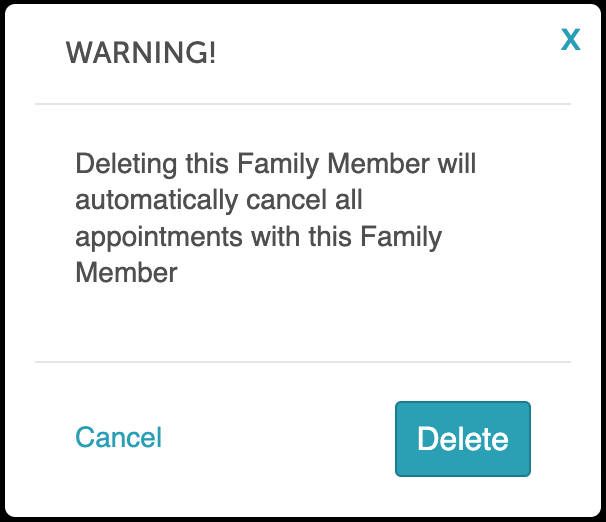
- When a family member's profile is deleted, past appointments are retained, but future appointments are automatically canceled
- Deleted family members will still appear on the client profile, but will be greyed out and labeled “(Deleted)”
- Once a family member profile is deleted, it cannot be reactivated. You will need to create a new profile.
- You will be able to see historical data for a deleted family member in reports; however, clicking the family member's name will lead you to the client's profile
- Impact on Memberships & Packages: When a family member is removed from a client profile, any memberships or packages configured for that individual family member and previously assigned to them are not lost. These benefits remain active on the account; however, they become unassigned and cannot be accessed or redeemed until they are reassigned to another family member. Example: Sarah has a client profile with two children added as family members, Leo and Maya. Leo has a “10-Session Yoga Package” assigned to his profile. If Leo’s profile is deleted, the package remains active in the system but becomes unassigned. To use the remaining sessions, the package will need to be reassigned to Maya or Sarah.
To delete family members:
1. Navigate to the Clients tab
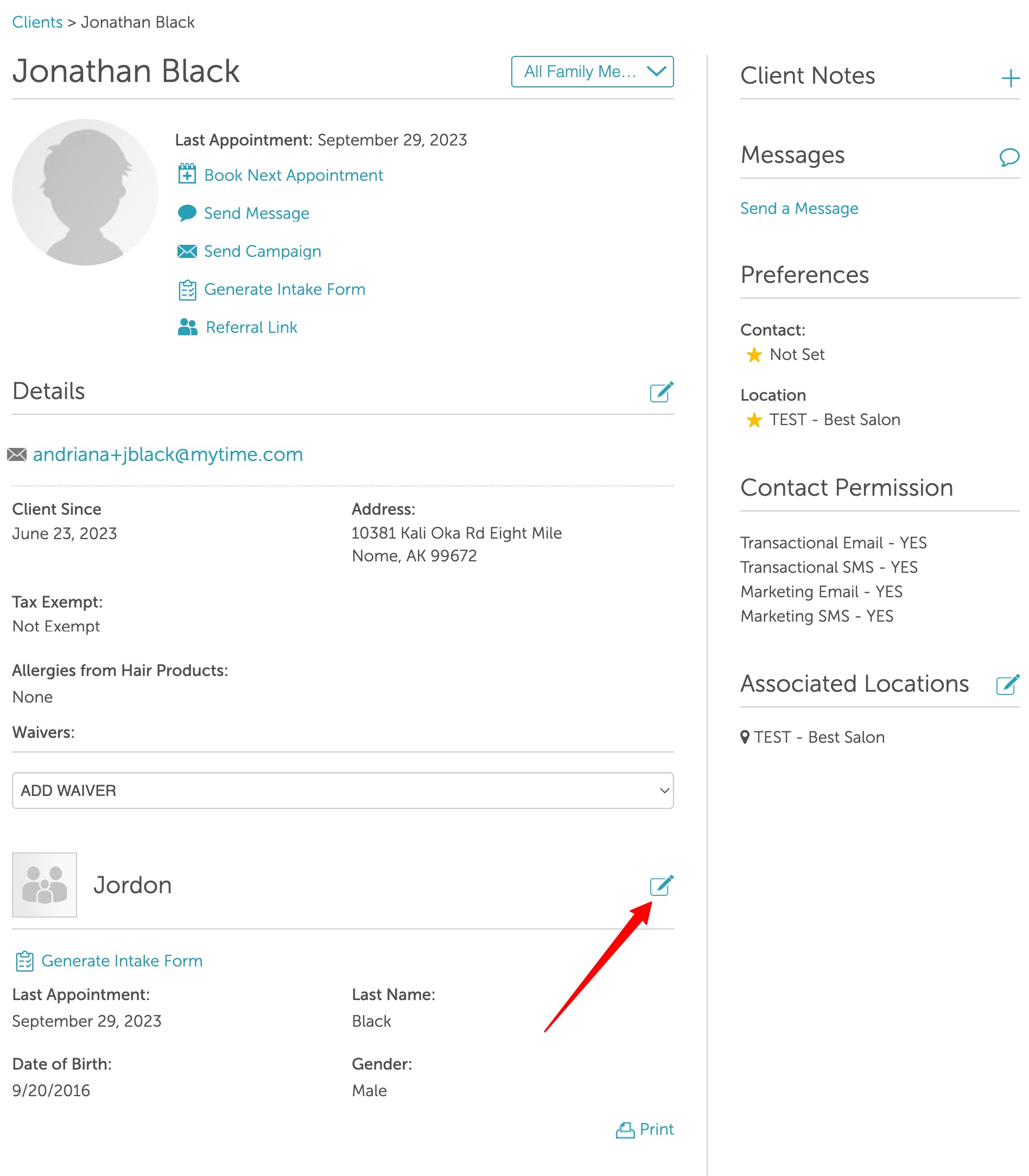
2. Locate and open the client's profile to see the family member's profile
3. Click the edit icon to open the profile
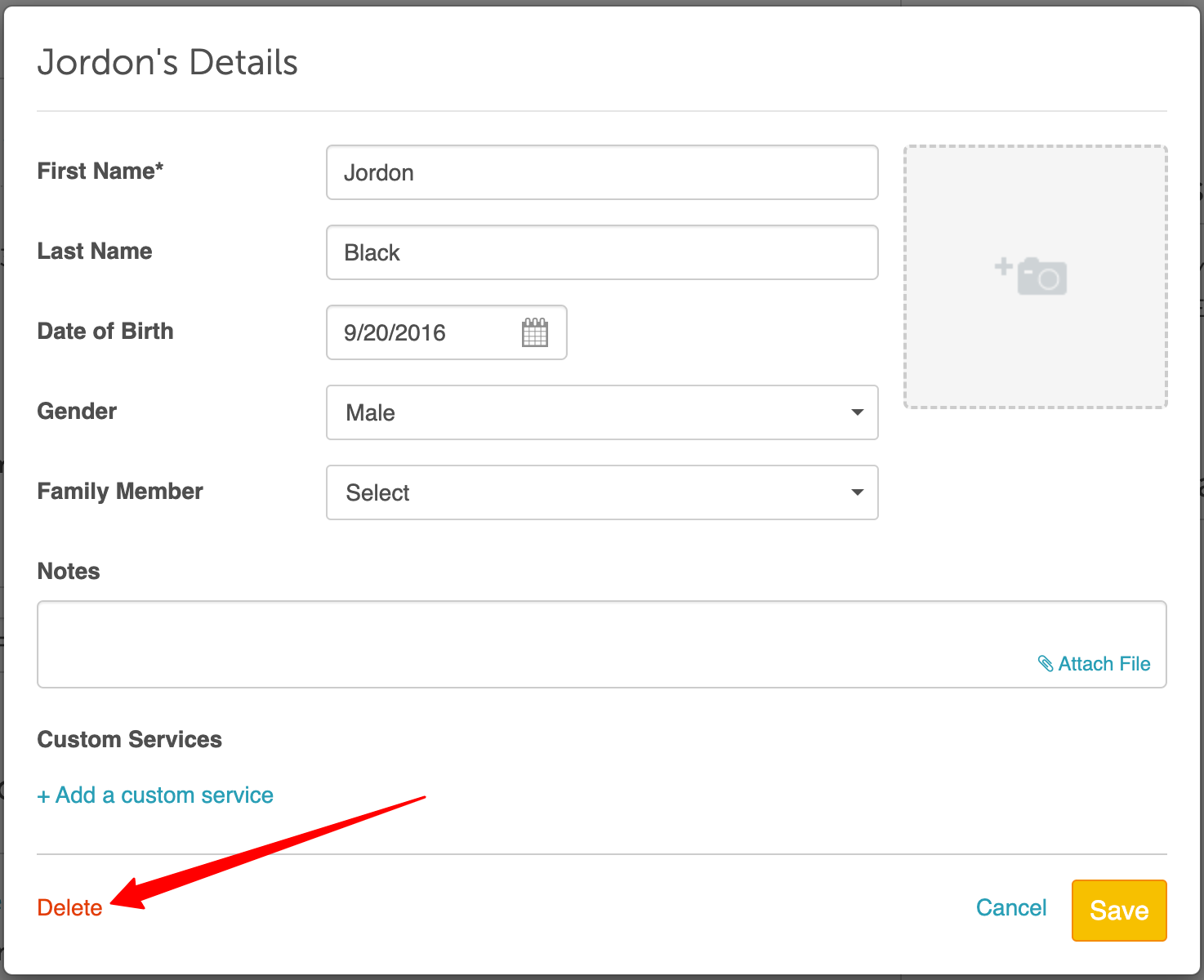
4. Click the "Delete" link at the bottom left of the edit family member modal
5. Confirm by clicking the Delete button
Client's Profile
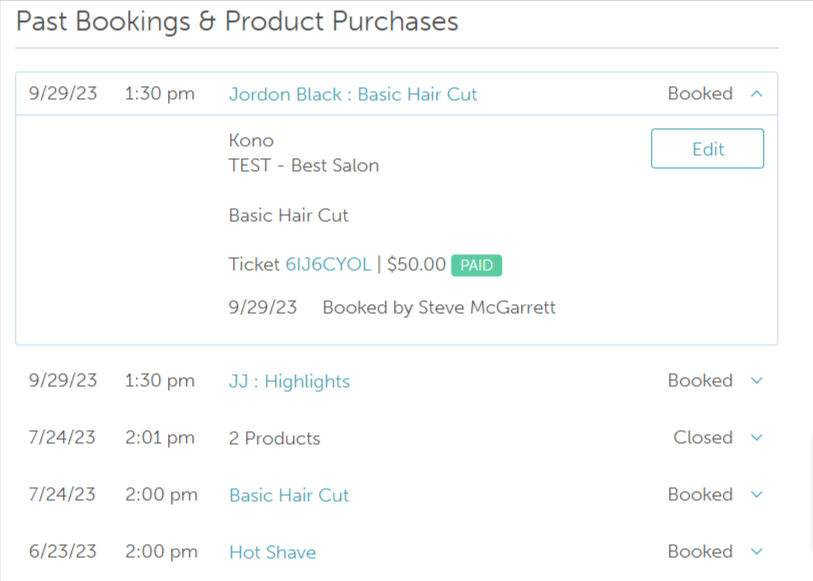
The family member's profile will be removed from the client's profile however, any past appointments for the deleted family member will still be visible under Past Bookings.
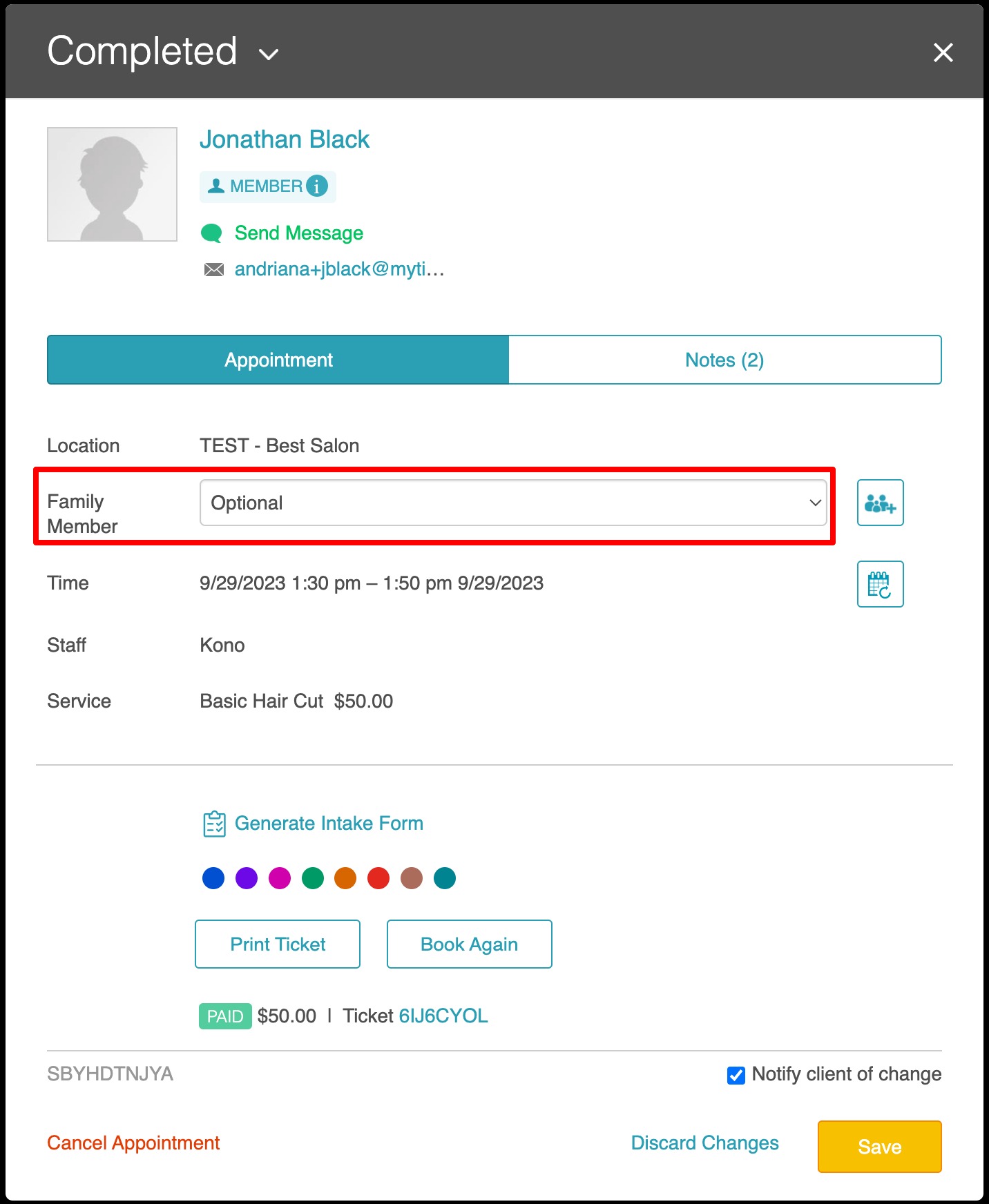
Schedule
Past appointments for the deleted family member will remain but the family member's name will not be visible on the appointment modal
Reports
Historical data for the deleted family member will remain in the reports

For more information contact us at support@mytime.com.
Related Articles:
- Adding Family Members Manually
- Adding Family Member on Scheduler App
- Editing Family Member Profiles
- Merging Family Members
- Importing Family Members
- Exporting Family Members
- Scheduling Appointment for Family Members
- Booking Appointments Online
- Adding Family Members to Class Sessions
- Configure Memberships for Family Members
- Adding Memberships for Family Members on Client Profile
- Changing Associated Family Member on Existing Memberships
- Configure Packages For Family Members
- Adding Packages for Family Members
- Changing Associated Family Member on Existing Packages
Was this article helpful?
That’s Great!
Thank you for your feedback
Sorry! We couldn't be helpful
Thank you for your feedback
Feedback sent
We appreciate your effort and will try to fix the article