This article explains how to view referral credits earned by both the referrer (the person who shared the referral link) and the referee (the new client who used the referral link).
Things to know:
- The ability to view referral credits earned on both the referee’s and referrer’s profiles is controlled by the "Accessing Referral Credits" access control setting.
- Referee vs. Referrer Perspectives: The Referee is the new client who was referred, while the Referrer is the existing client who shared the referral link. While both client profiles display referral credit information, the data is shown from their respective perspectives.
Referral credits can be redeemed by clients when booking an appointment online or during checkout in POS. - Credits are awarded only for new clients. Family members, children, pets, and autos added to an existing client profile do not qualify as new referrals
- A full audit trail is available directly within the Referral Credit section of the profile. This provides a complete history of all referral activity, including exactly when credits were earned, activated, and redeemed.
- Each entry in the audit trail includes the associated POS ticket number, making it easy to trace any referral credit back to its specific transaction.
To view the referral earned credits on the referee's or referrer's client profile:
- Navigate to the Clients tab
- Search for and open the client’s profile
- Scroll down to the Referral Credit section
- Here, you’ll see any referral credits earned, whether the client is a referrer or referee.
Examples
Referee’s Profile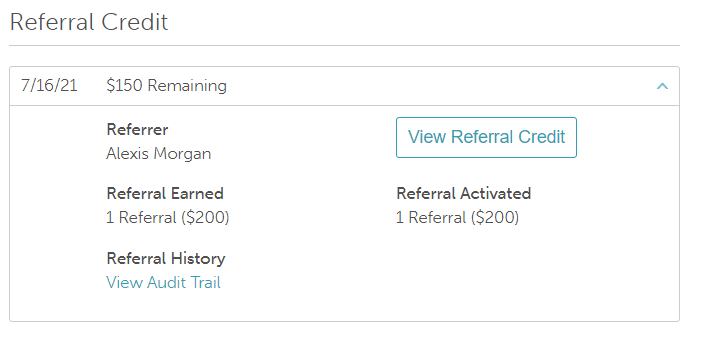
Shows referral credits received after using a referral link.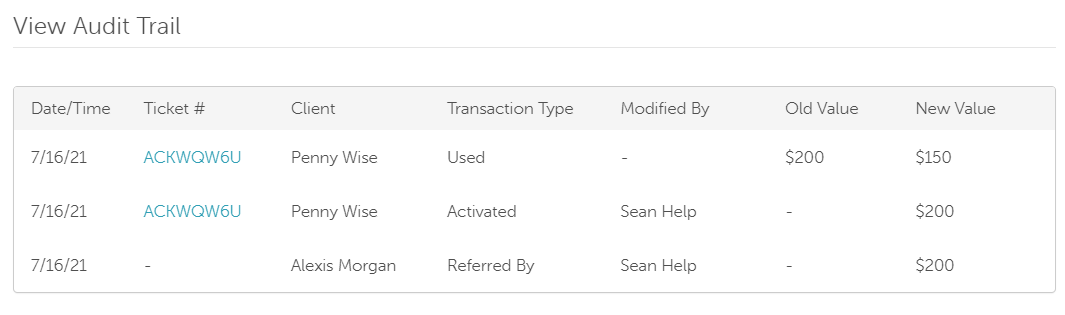
Referrer’s Profile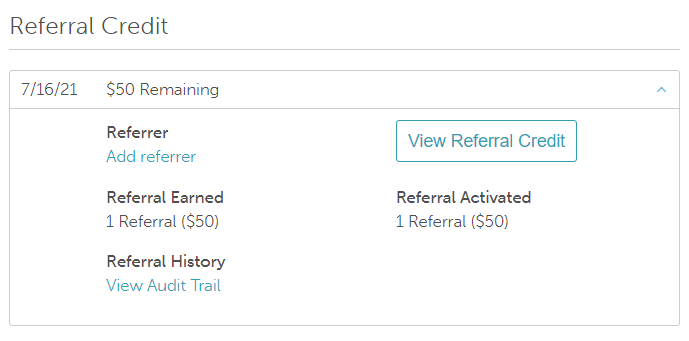
Displays referral credits earned from someone using their referral link.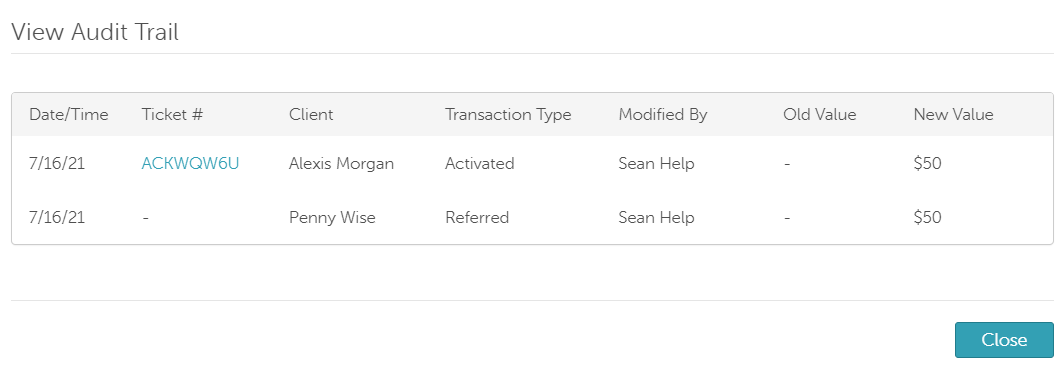
Related Articles:
Was this article helpful?
That’s Great!
Thank you for your feedback
Sorry! We couldn't be helpful
Thank you for your feedback
Feedback sent
We appreciate your effort and will try to fix the article