The built-in Deposits vs. POS Accounting (POSA) Reconciliation tool automates the process of identifying why a merchant's MyTime Pay settlement deposit differs from the journal entry imported into their accounting software (e.g., QuickBooks) for any given date.
Rather than manually comparing the MyTime Pay Settlements report against ticket close dates, the support team can prompt the AI Assistant to generate a complete, itemized breakdown explaining all discrepancies.
Things to know:
- Eligibility: Available only for businesses using MyTime Pay. Businesses using external processors or cash-only payment methods cannot use this tool.
- POSA Integration: The merchant must have an active POS Accounting (POSA) integration with properly mapped accounts. Without it, no journal entries exist for comparison.
- Card Payments Only: Reconciles credit and debit card transactions recorded in the MyTime Pay Settlements report. Non-card payments (cash, gift cards, checks) are excluded.
- Scope & Restrictions: By default, data reconciles across all locations in a company. Pass a Location ID to limit reconciliation to a single location. Note: This tool identifies and explains differences; it does not modify accounting records.
- Understanding Timing Discrepancies:
- Settlement Date vs. Close Date: MyTime Pay records settlement deposits based on the payment transaction date, whereas POSA records revenue on the ticket close date.
- Open Tickets: POSA creates journal entries only for closed or voided tickets. Payments for open tickets appear in Settlements but won't have an accounting entry until closed or voided.
- Refunds: Refunds appear in Settlements on the refund processing date, not the original ticket date.
How to Use
1. Log in to ICS
2. Enter the Merchant's name or MID
3. Choose the desired account
4. Select "Audits"
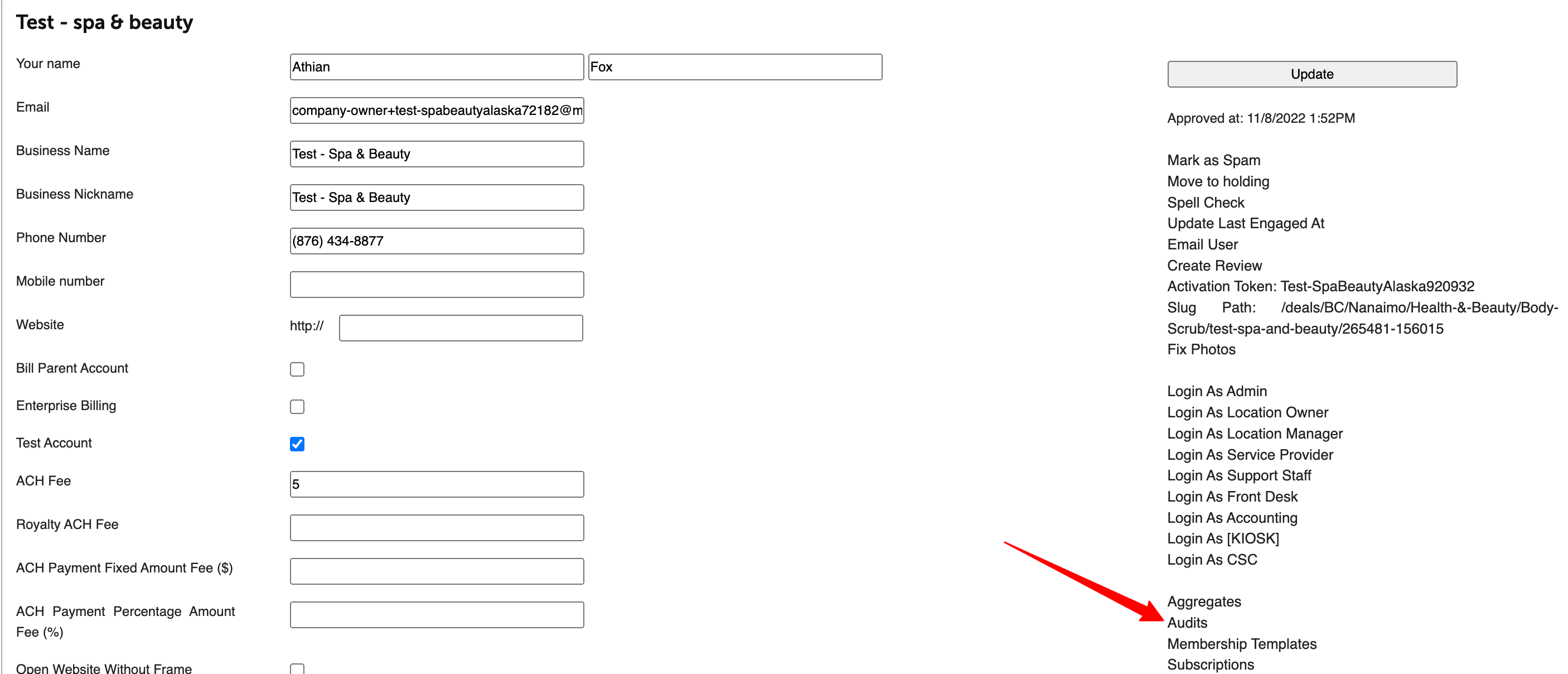
5. Click the AI tool at the bottom of the screen 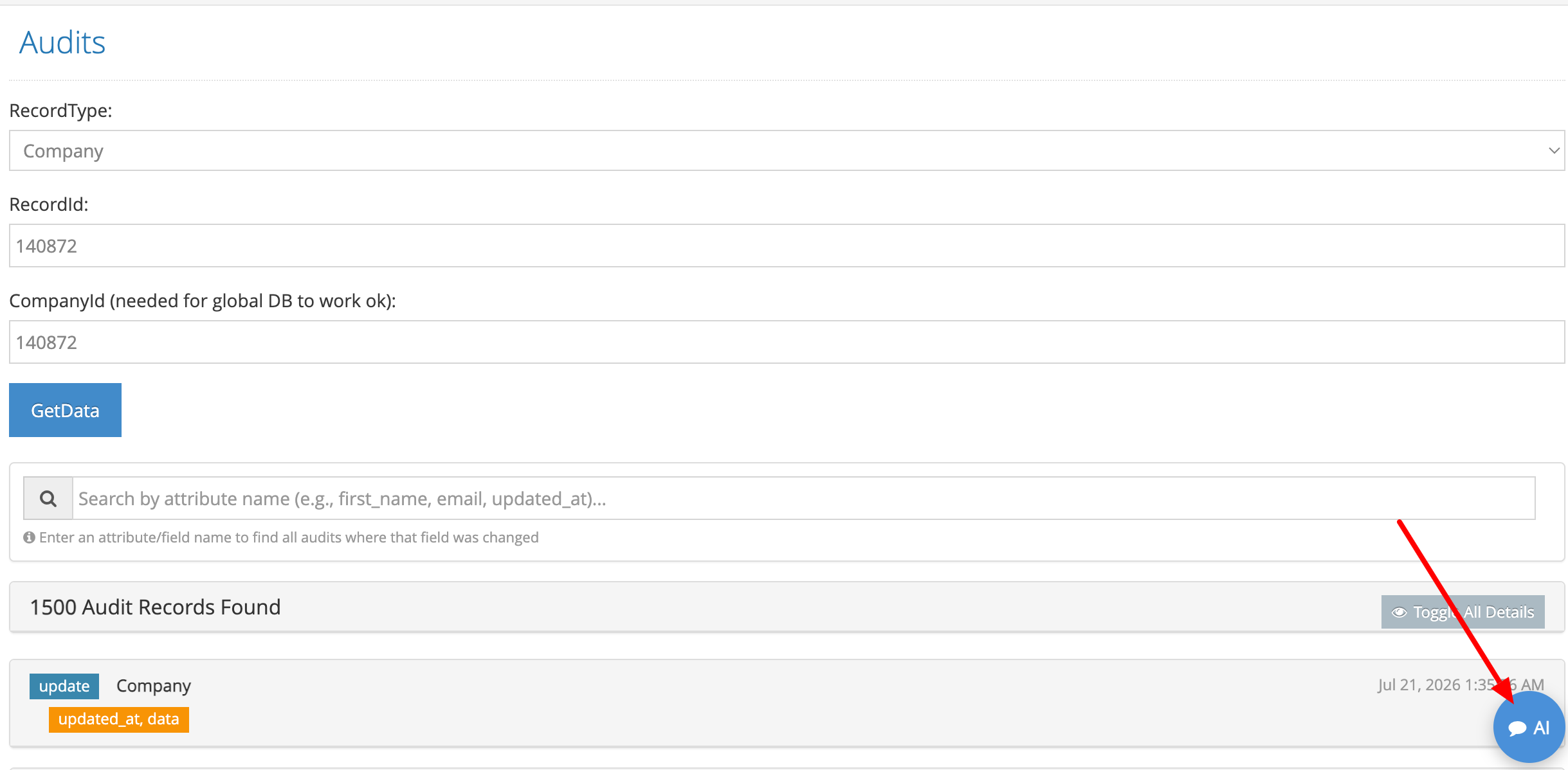
6. Enter your reconciliation prompt into the AI Assistant and search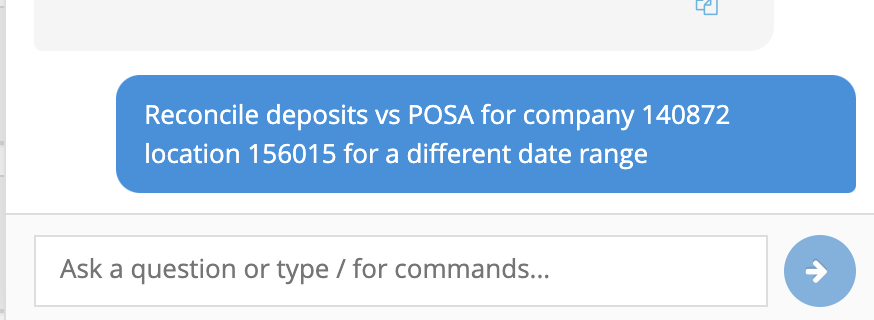
Example Prompts
- "Reconcile MyTime Pay deposits vs. accounting entries for company 1234 for June 2026."
- "Why doesn't company 5678's deposit on July 3 match their QuickBooks entry? Run a POSA reconciliation."
- "Reconcile MyTime Pay deposits vs. POSA for company 9012, location 4321, for the last 30 days."
What the Tool Returns
The output is structured into four primary sections:
- Per-Settlement-Date Summary: Compares daily MyTime Pay settlement totals against POSA journal entries and highlights gap amounts.
- Unmatched Deposits (Itemized): Lists each deposit contributing to a gap and categorizes the underlying reason.
- Reopened Tickets: Identifies tickets closed, reopened, and reclosed across different dates.
- Summary: Displays total counts of unmatched deposits grouped by classification.
Deposit Classifications & Resolution Steps
Every deposit row contributing to an accounting gap is classified into one of three categories:
| Classification | What It Means | What To Do |
| Never Closed | The ticket associated with this charge is still open (has no close or void event). POSA has never journaled it. | Confirm with the merchant whether the ticket is intentionally open. The accounting entry will appear once closed. |
| Closed On Other Date | The ticket was charged on one date but closed/voided on another. The deposit sits in Settlements for the charge date, but the POSA entry lands on the close date. | No action needed — the money is accounted for, just in a different day's entry. Explain the date difference to the merchant. |
| Refund | A negative deposit row (refund). Refunds appear in Settlements on the processing date, which may differ from the ticket's close date in POSA. | Verify the refund date vs. ticket close date. The amounts will reconcile across the two combined periods. |
Related Articles
Comparison of Daily Revenue, Daily Payments, and MyTime Pay Settlements Reports
Was this article helpful?
That’s Great!
Thank you for your feedback
Sorry! We couldn't be helpful
Thank you for your feedback
Feedback sent
We appreciate your effort and will try to fix the article