This article explains how clients can redeem referral credits when booking through your custom MyTime guest app.
Things to Know:
- Referral credits can only be applied to items configured in your referral program.
- Only activated referral credits are eligible for redemption at checkout.
To redeem referral credit on the guest app:
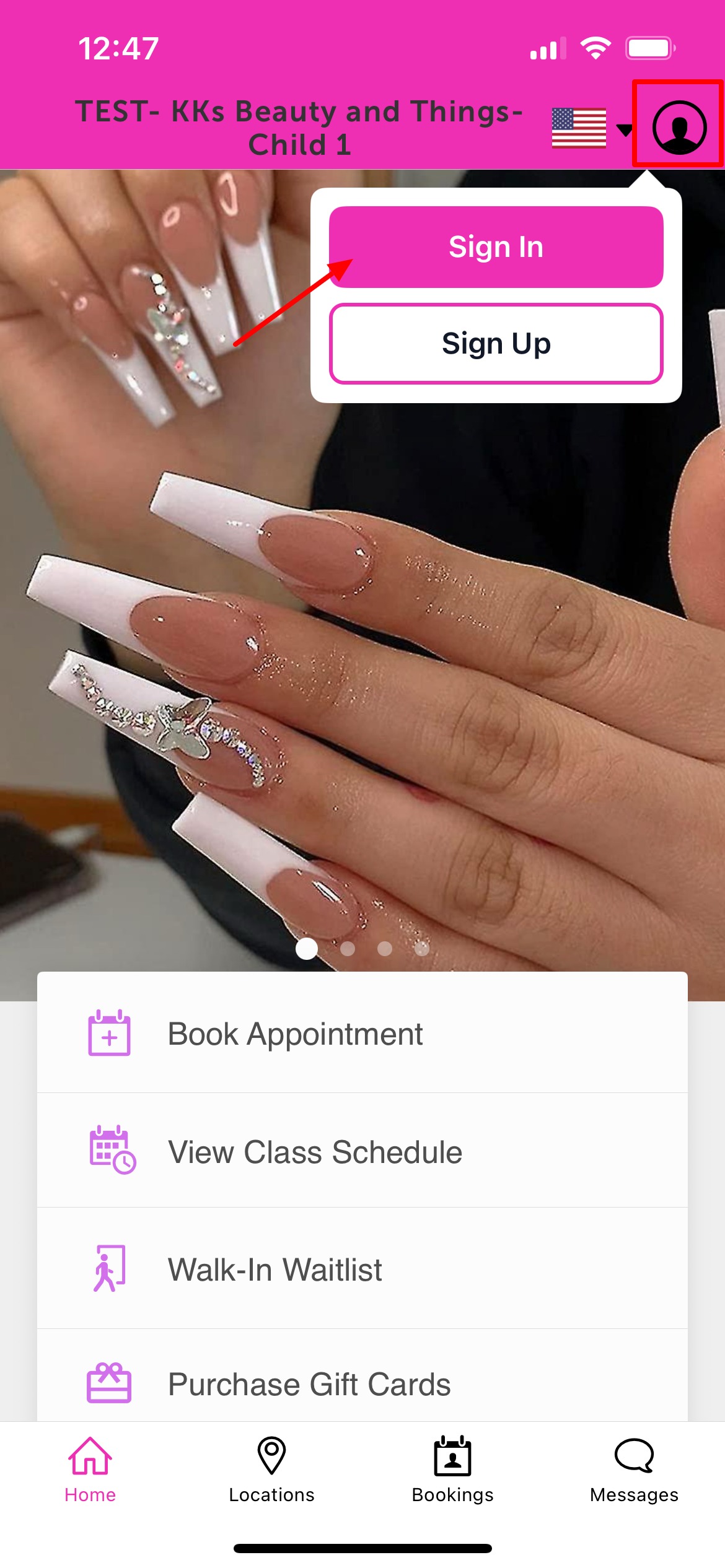
2. Upon downloading, navigate to the home screen and tap on the account icon located in the top right corner, tap sign in
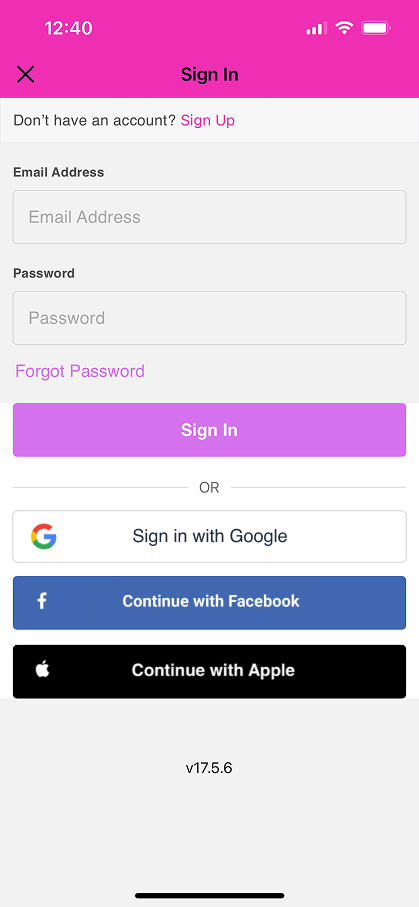
 3. Choose their login method:
- Standard: Enter their registered email address and password, then click 'Sign In'.
- Social Login: Select 'Continue with Google,' 'Continue with Apple,' or 'Continue with Facebook' to use their existing social media credentials.
4. Return to the Home screen and tap 'Book Appointment'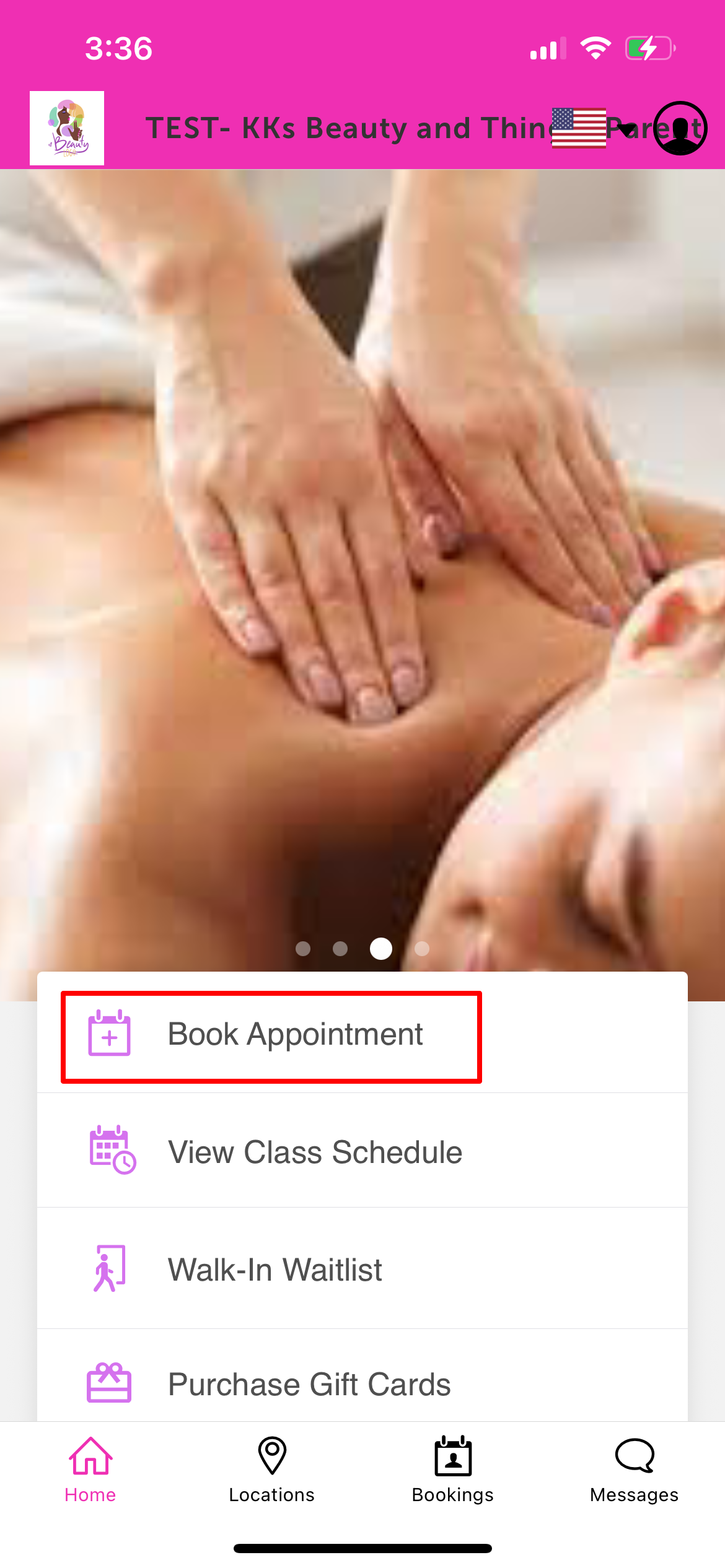
5. Select the desired location 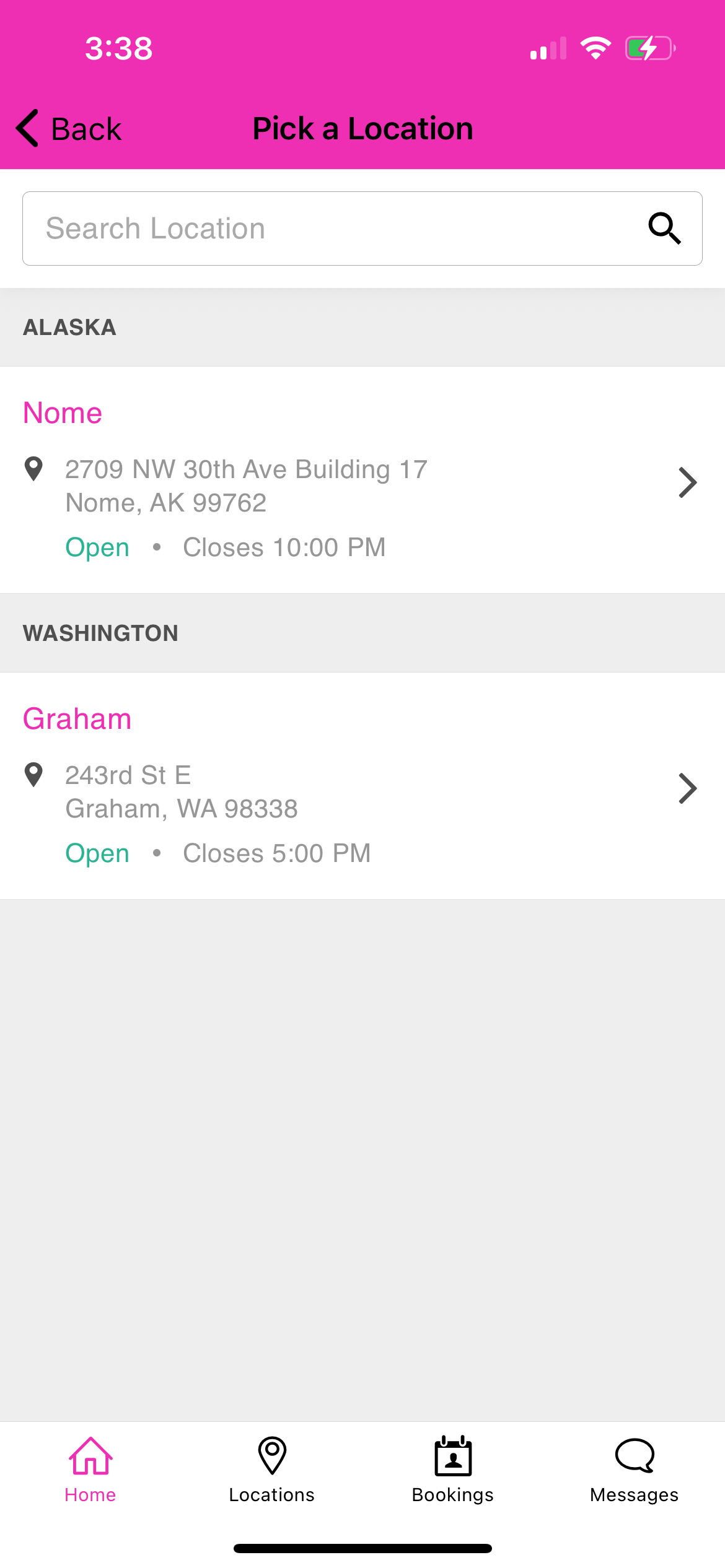
6. Tap 'Book' next to the desired service 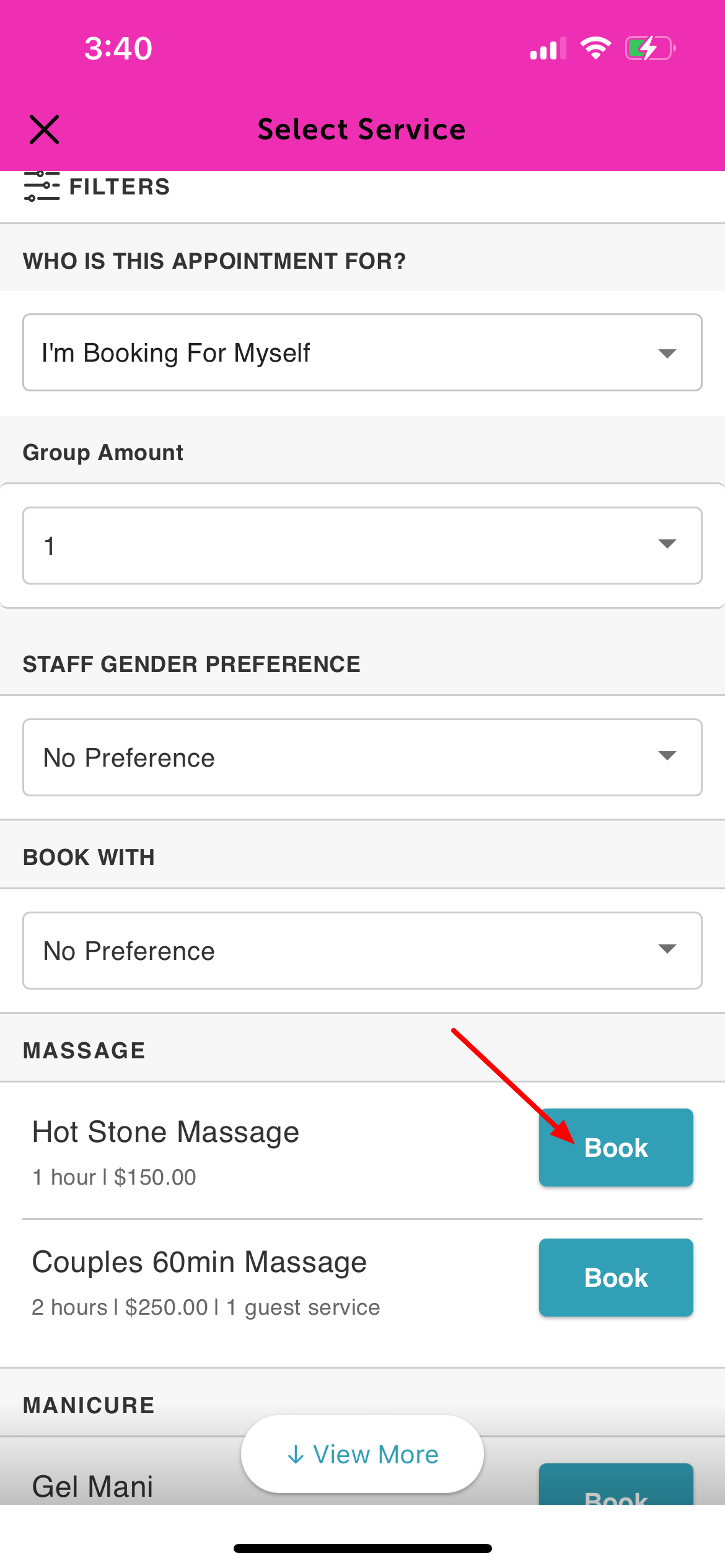
7. Tap 'Select Time' at the bottom of the screen 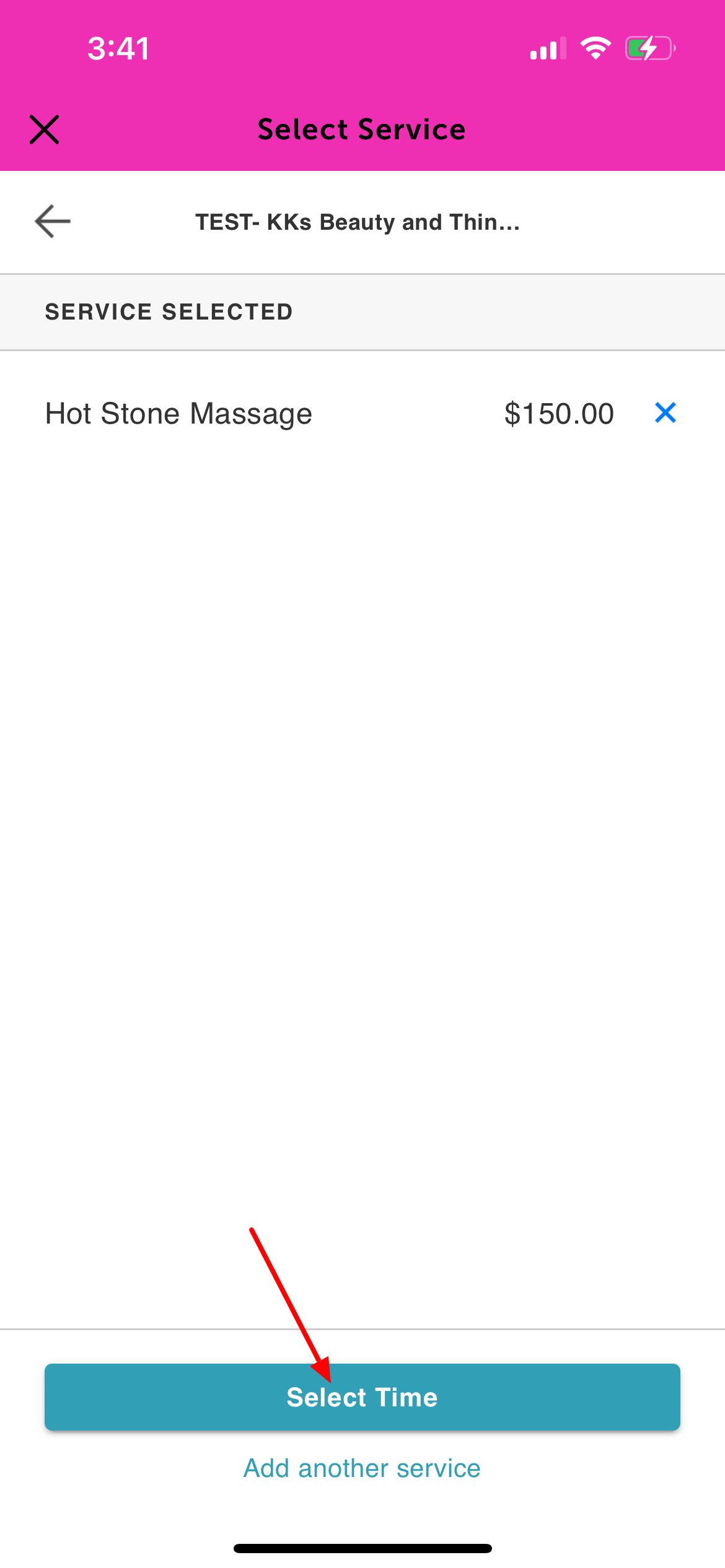
8. Select the desired appointment date and time 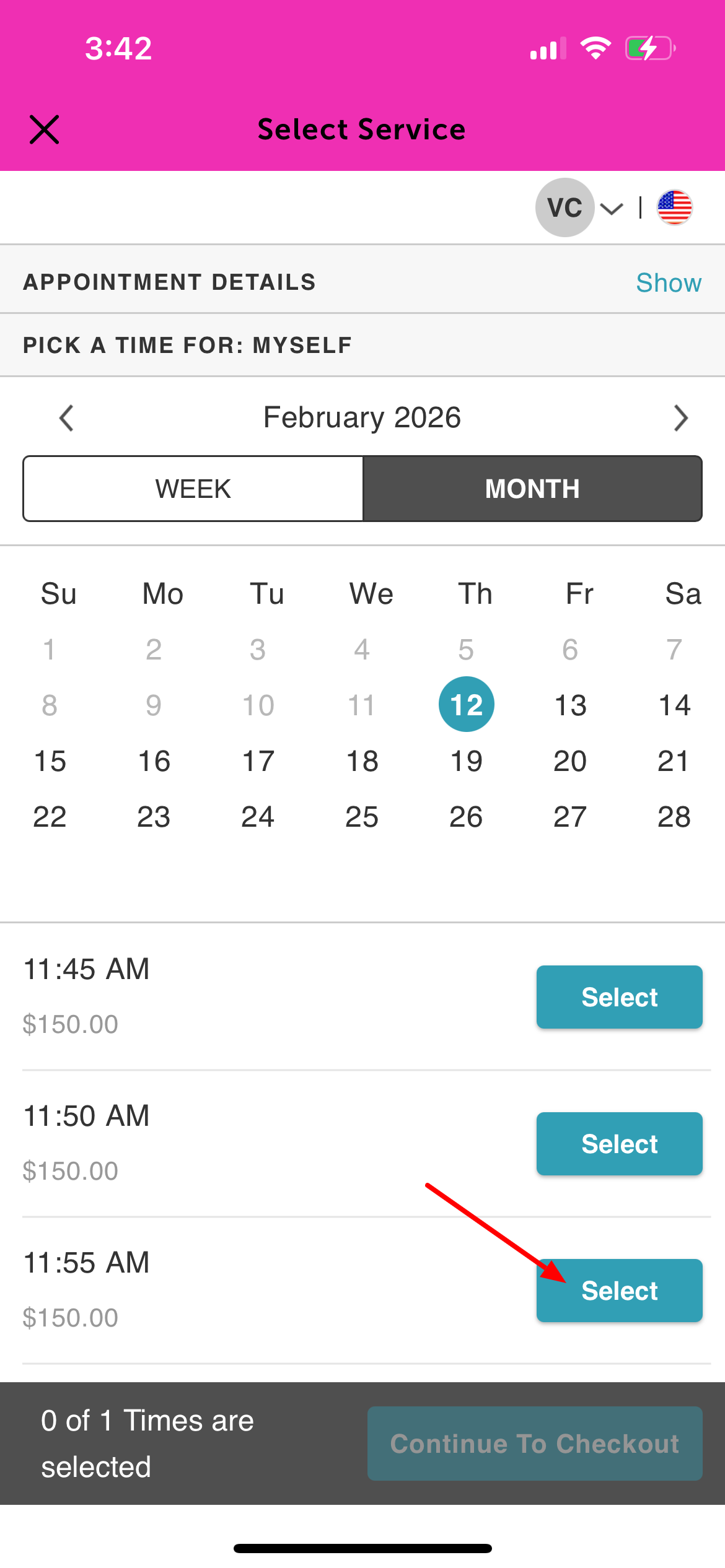
9. Proceed to the Checkout screen. Complete the intake form and provide payment details, if required
10. Scroll to the Apply Referral Credit field. Enter the amount of credit you wish to redeem.
11. Tap 'Apply' to apply the credit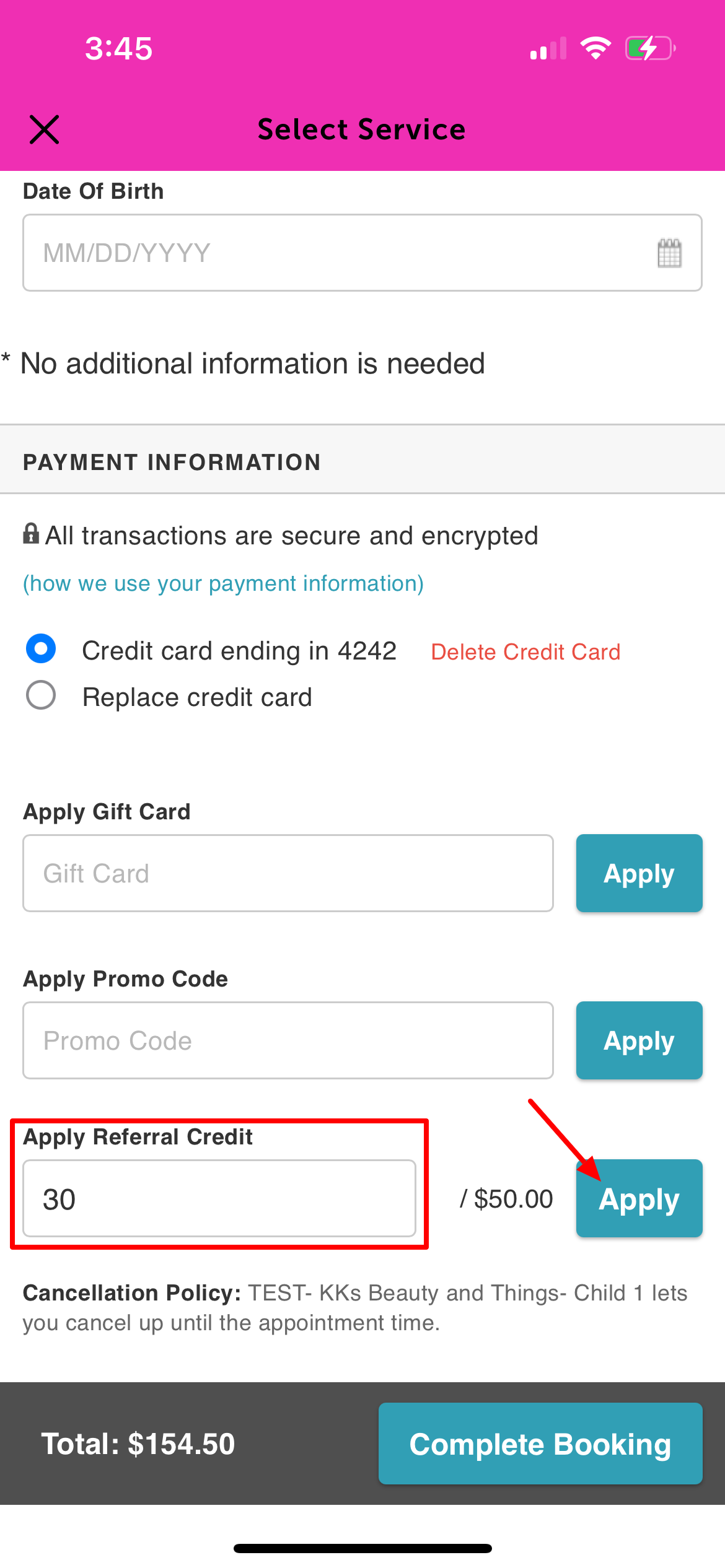
12. Tap 'Complete Booking' at the bottom of the screen 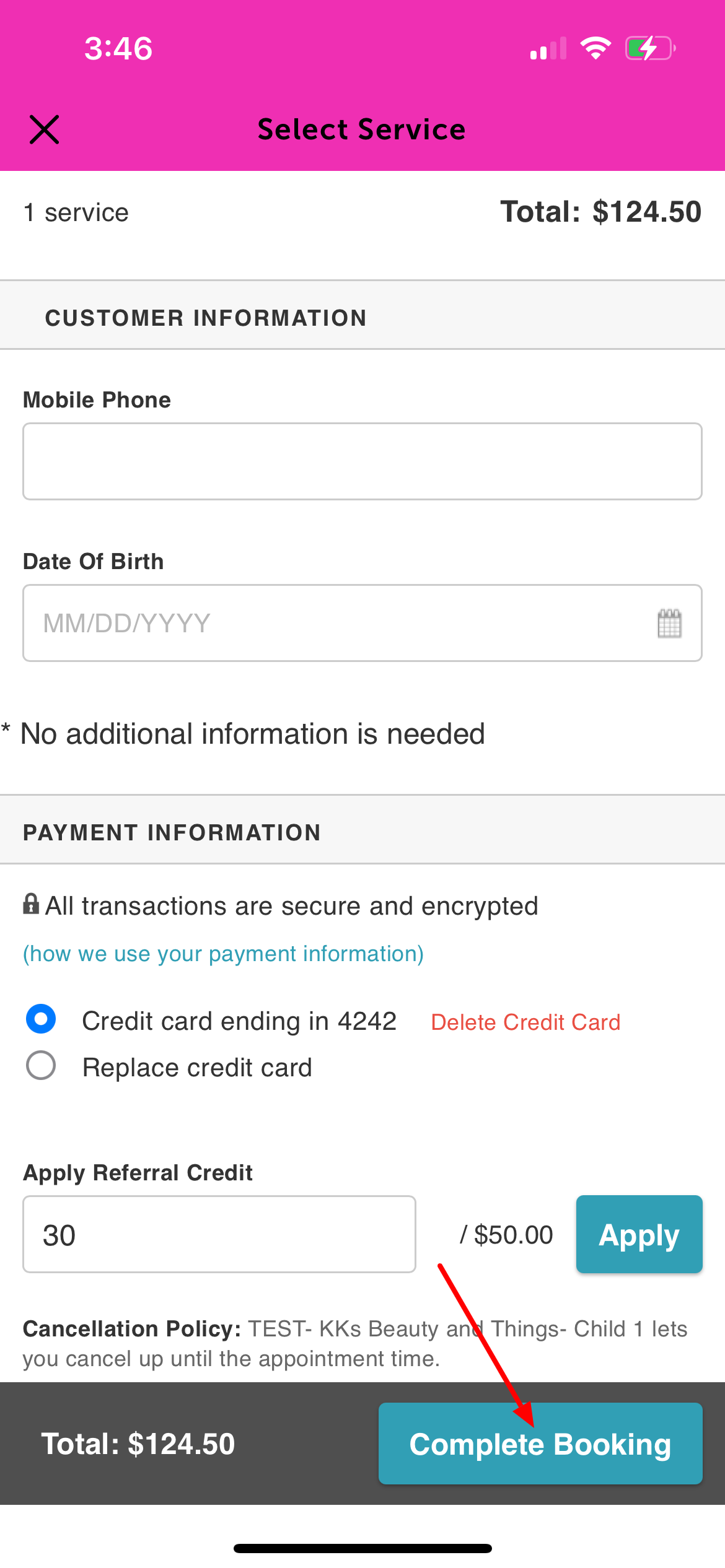
13. A confirmation screen will appear, showing the booking and applied credit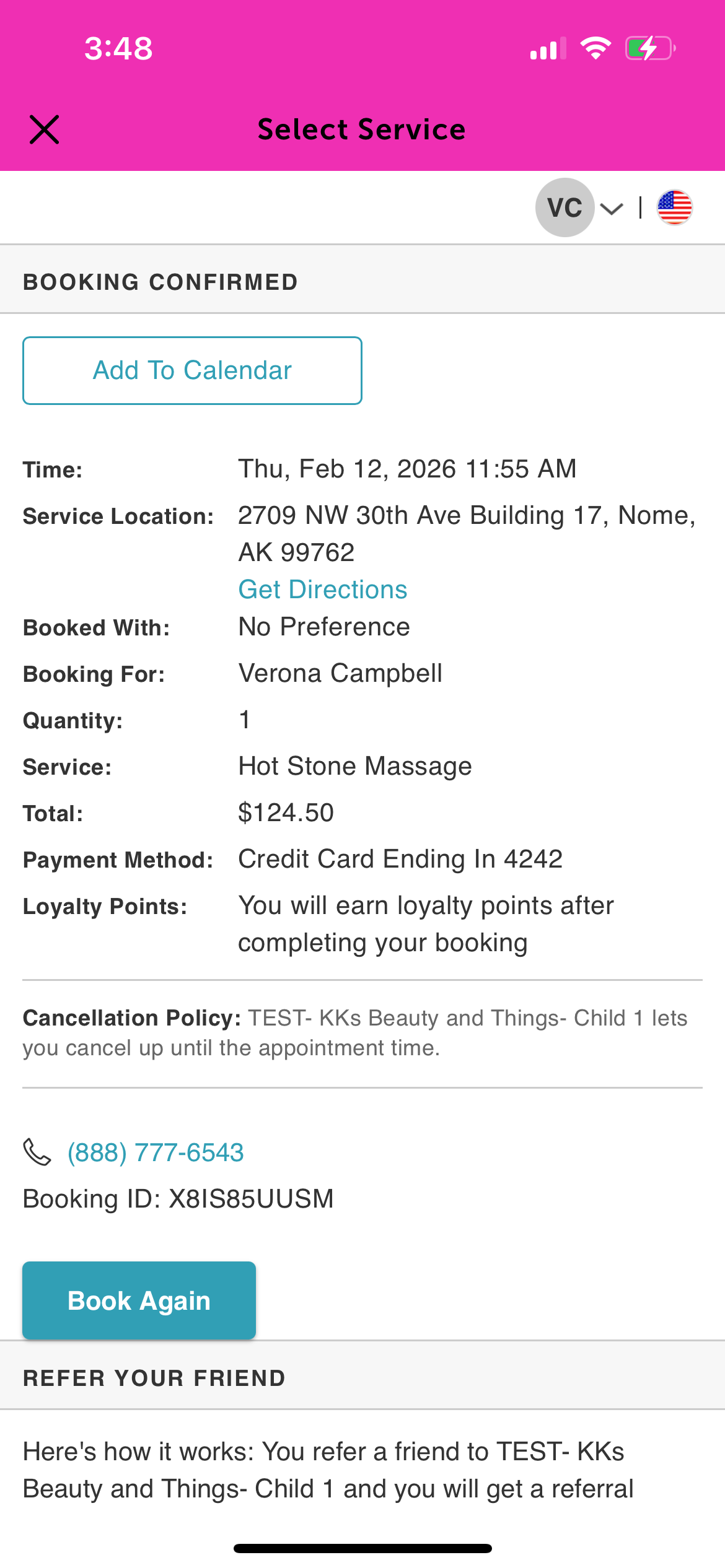
For more information, contact us at support@mytime.com.
Related Articles:
Booking Appointments on Guest App
Booking Appointments for a Single Family Member on Guest App
Was this article helpful?
That’s Great!
Thank you for your feedback
Sorry! We couldn't be helpful
Thank you for your feedback
Feedback sent
We appreciate your effort and will try to fix the article