You can edit your promotion at any time after it has been created. This guide will walk you through the steps to edit promotions.
Things to know:
- The ability to edit promotions is governed by the "Accessing Promotions" access control setting.
- There are 4 promotion statuses:
- Live: The promotion is currently active
- Paused: The promotion has been paused and cannot be used
- Scheduled: The promotion is set to start at a later date
- Expired: The valid date set on the General Setting page has passed
- Promotions can be sorted by the following criteria on the Promotions page, based on the filters you select:
- Location: Displays all promotions that were created for that location
- Status: Sorted in this order: Scheduled, Live, Paused, Expired.
- Name: Sorted alphanumerically by symbols, then numbers, then letters.
- Start Date: Sorted with the most recently created promotions first, going backward to the earliest.
- End Date: Sorted with promotions that have no expiration (Ongoing) first, then those with the farthest end dates, and finally those closest to the current date.
- Discount Type: Sorted in this order: Free, Percentage (%), Dollar ($) discounts.
- For franchises using global promotions, please note that these cannot be edited at the location (child) level. All updates must be performed at the parent level.
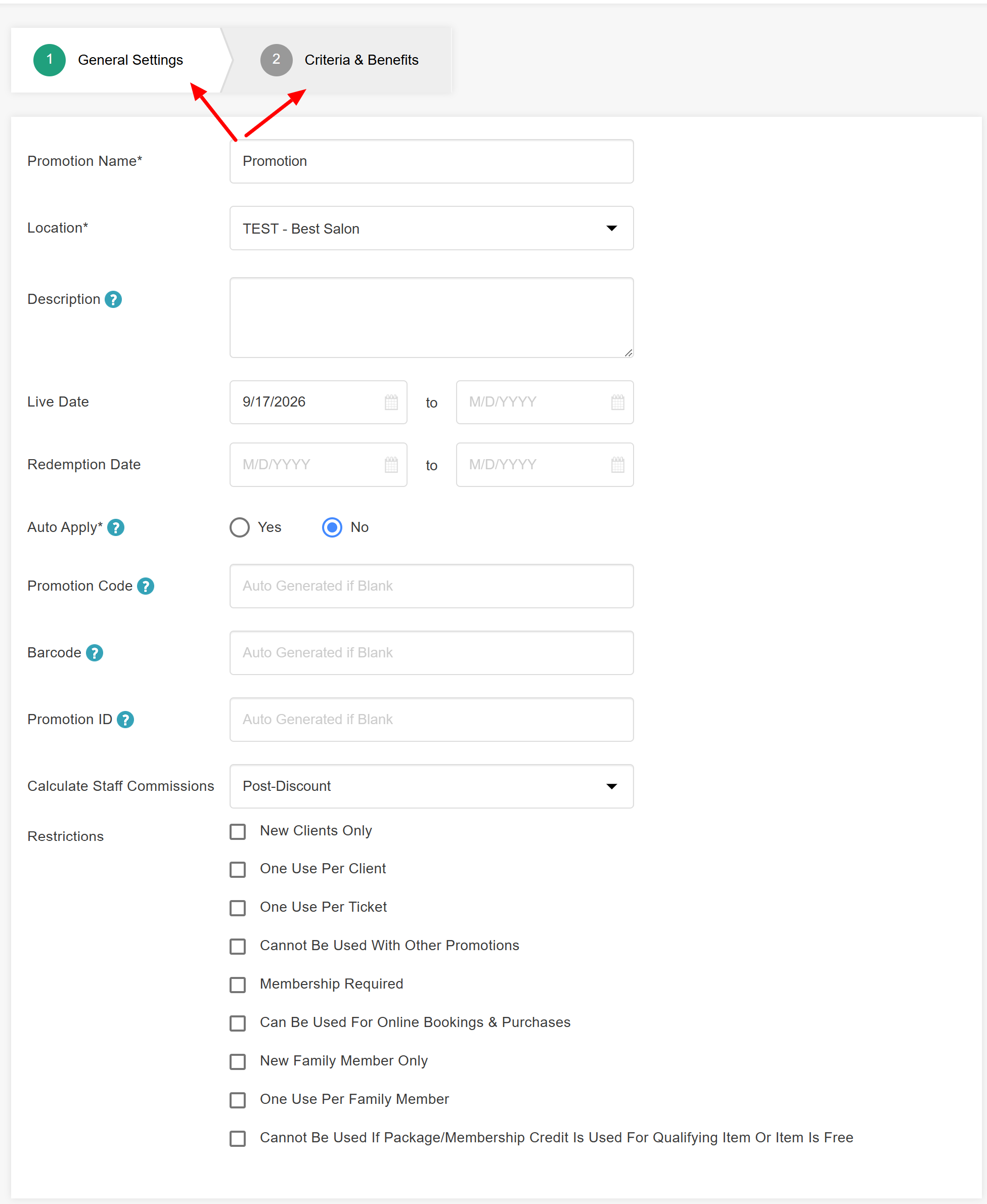
- You can edit any part of the promotion template except for the following fields:
- Promotion Code
- Barcode
- Promotion ID
To edit promotions, simply:
- Navigate to Marketing > Promotions
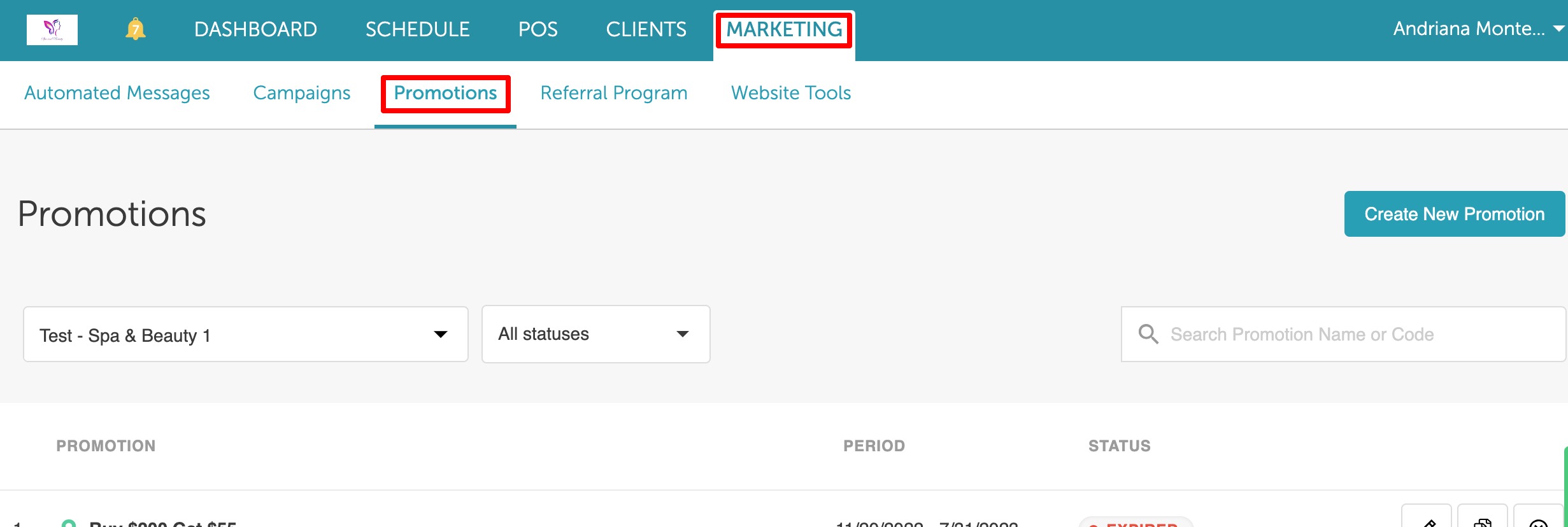
- Locate the promotion you wish to edit
- Click the edit icon

- You will be taken to the promotion’s settings page, where you can edit fields on both the General Settings and Criteria and Benefits pages. Please note that the Promotion Code, Barcode, and Promotion ID cannot be edited.
- Save Changes
Related Articles:
- Global Promotions
- Promotion General Settings & Restrictions
- Promotion Criteria and Benefits
- Service Promotion Setup
- Class Promotion Setup
- Product Promotion Setup
- Gift Card Promotion Setup
- Membership Promotion Setup
- Package Promotion Setup
- Applying Promotions Online
- Promotions Report
Was this article helpful?
That’s Great!
Thank you for your feedback
Sorry! We couldn't be helpful
Thank you for your feedback
Feedback sent
We appreciate your effort and will try to fix the article