The Lapsed Clients report for products identifies clients who have not purchased a product within a selected timeframe. This report helps you target re-engagement efforts and plan more effective retail marketing campaigns.
Things to know:
- The ability to access this report is governed by the "Accessing Reports" access control settings
- This report is only available to accounts that do not offer appointments and have the “Hide Scheduler Tab” hidden setting enabled.
- The report includes clients who have not made a product purchase within the selected inactivity period. For example, a client who last purchased a product 3 months ago will appear when filtering for 1, 2, or 3 months of inactivity, but not when filtering for 4 months.
- The report includes both new and existing clients.
- The report can only be exported in Summary View, which consolidates data by category such as location, staff member, or service type. This view is ideal for high-level analysis, allowing you to review total revenue and overall performance metrics without displaying individual transactions.
To access this report:
Navigate to Dashboard
Select the Reports tab
Under the Clients section, select the Lapsed Client report
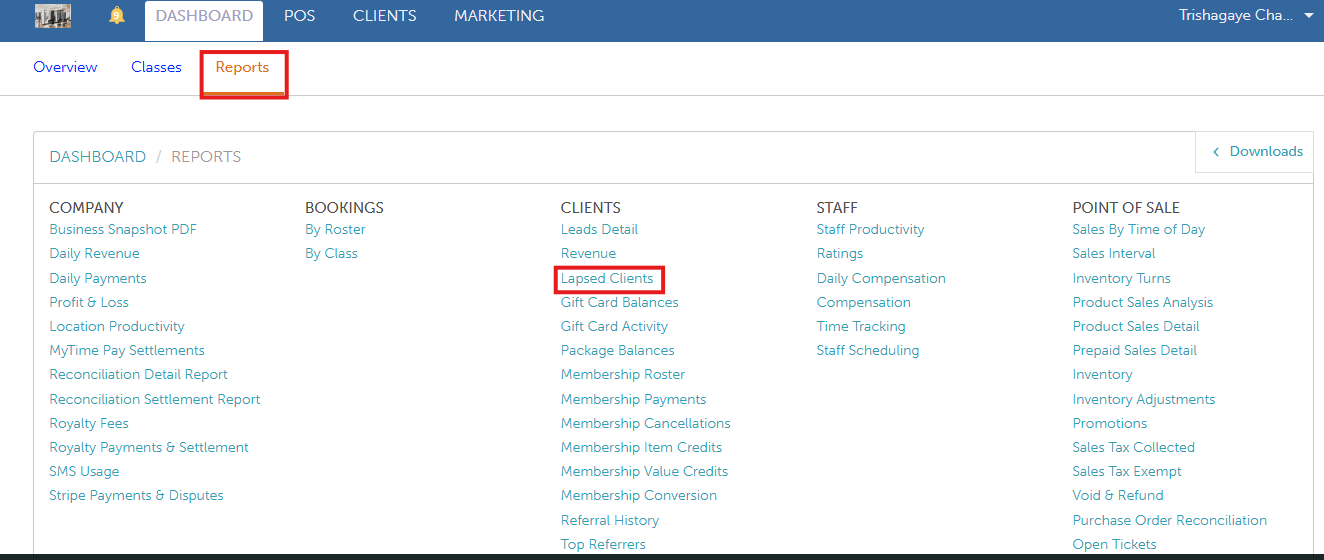
When the report opens, you can filter by a specific location and date. You also can export to Excel, PDF, or print. Once you have selected your filters, click on the UPDATE button to generate the desired data. 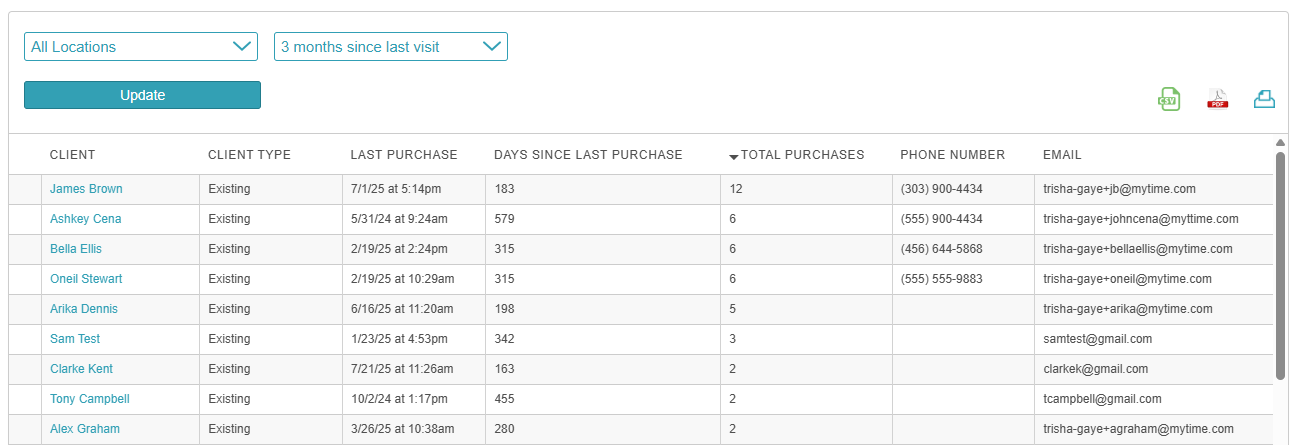
Report Filters
| Filter | Description |
| Location | The location where the purchase was made
|
| Time Period | How long has it been since the client's last purchase? The options are 1 month, 2 months, 3 months, 4 months, 5 months, 6 months, and 12 months. |
Report Columns
Feel free to contact us at support@mytime.com or (385) 233-6964 if you have any questions.
Related Articles:
Was this article helpful?
That’s Great!
Thank you for your feedback
Sorry! We couldn't be helpful
Thank you for your feedback
Feedback sent
We appreciate your effort and will try to fix the article