Clients can purchase memberships for their family members through the consumer app, in the same way they would when using the online widget. This article outlines the steps clients need to follow to purchase a membership for their family member(s) on the guest app.
Things to Know:
- To configure your account for membership purchases, learn more here
- To enable online purchases for memberships, the following steps must be completed:
- You must have an active membership subscription. For franchise businesses, please contact your account manager or email support@mytime.com for assistance.
- A payment account must be set up to process card payments. If you do not have a payment account, please email processing@mytime.com for help.
- Your account must be live.
- In the membership template, ensure that "Yes" is selected for the "Enable Online Purchase" setting.
- When clients purchase memberships online through your custom guest app and enter their card details, the option to save their card on their profile in-store and in their online user account will automatically be checked and cannot be unchecked.
- If the “Default Commissionable Employee for Product and Prepaid Sales” company setting is configured as either “Logged in user” or “In-House Sale,” any membership purchased through your custom guest app will display “In-House Sale” in the “Sold By” field on the ticket.
- Defined-Term Memberships: The membership end date will only be displayed on the checkout and confirmation pages if the membership is configured with a specific, defined term.
- Indefinite Memberships: If the membership is configured as an indefinite membership, no end date will appear on either page.
Once clients download your custom white-labeled MyTime app from the Google Play Store (Android) or the Apple App Store (iOS), they can purchase family member memberships by following these steps:
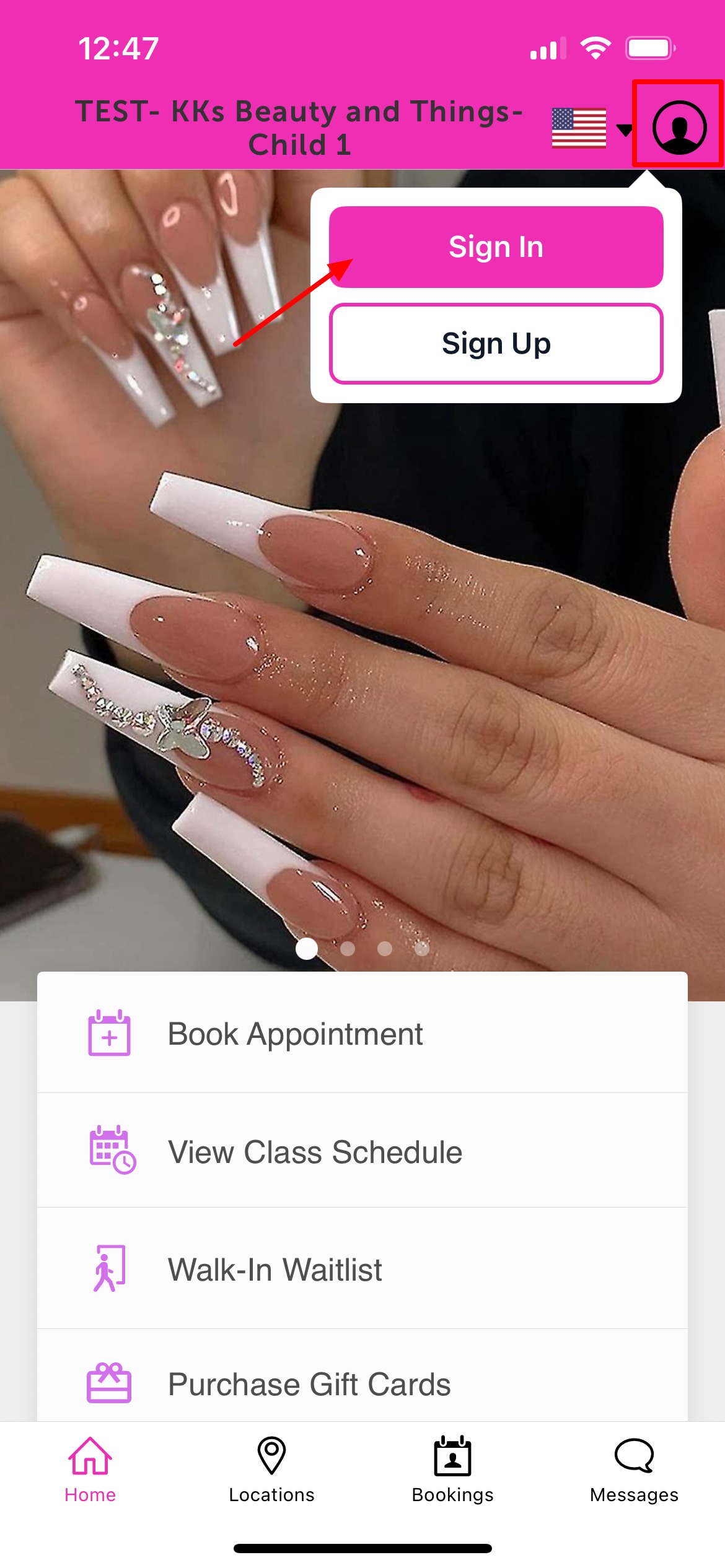
1. Upon downloading, navigate to the home screen and tap on the account icon located in the top right corner, tap sign in
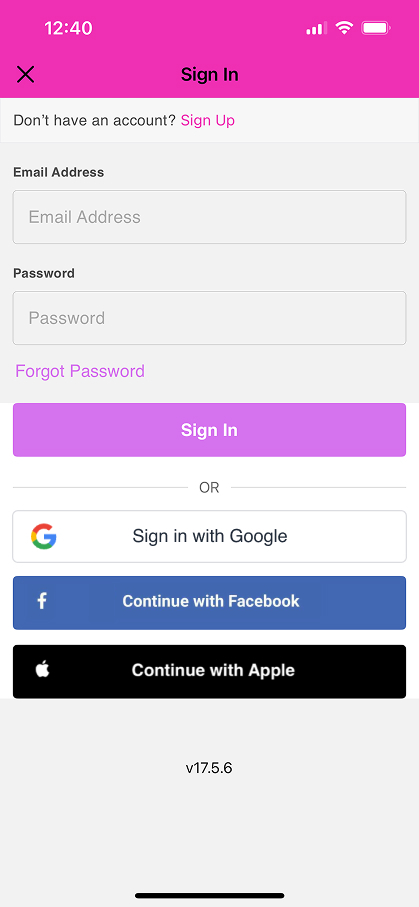
 2. Choose their login method:
- Standard: Enter their registered email address and password, then click 'Sign In'.
- Social Login: Select 'Continue with Google,' 'Continue with Apple,' or 'Continue with Facebook' to use their existing social media credentials.
3. After signing in, return to the Home screen and tap 'Purchase Memberships'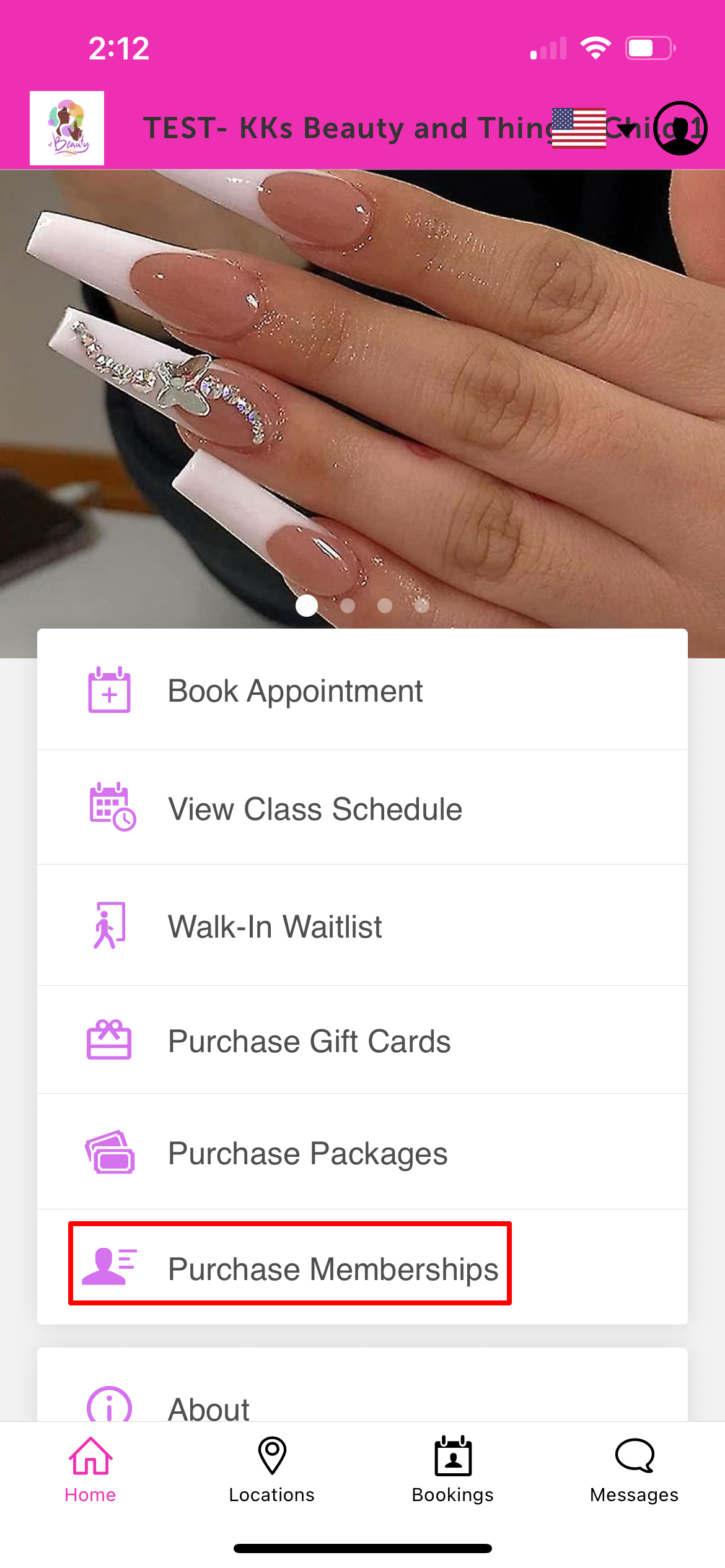
4. Select the location where the membership will be used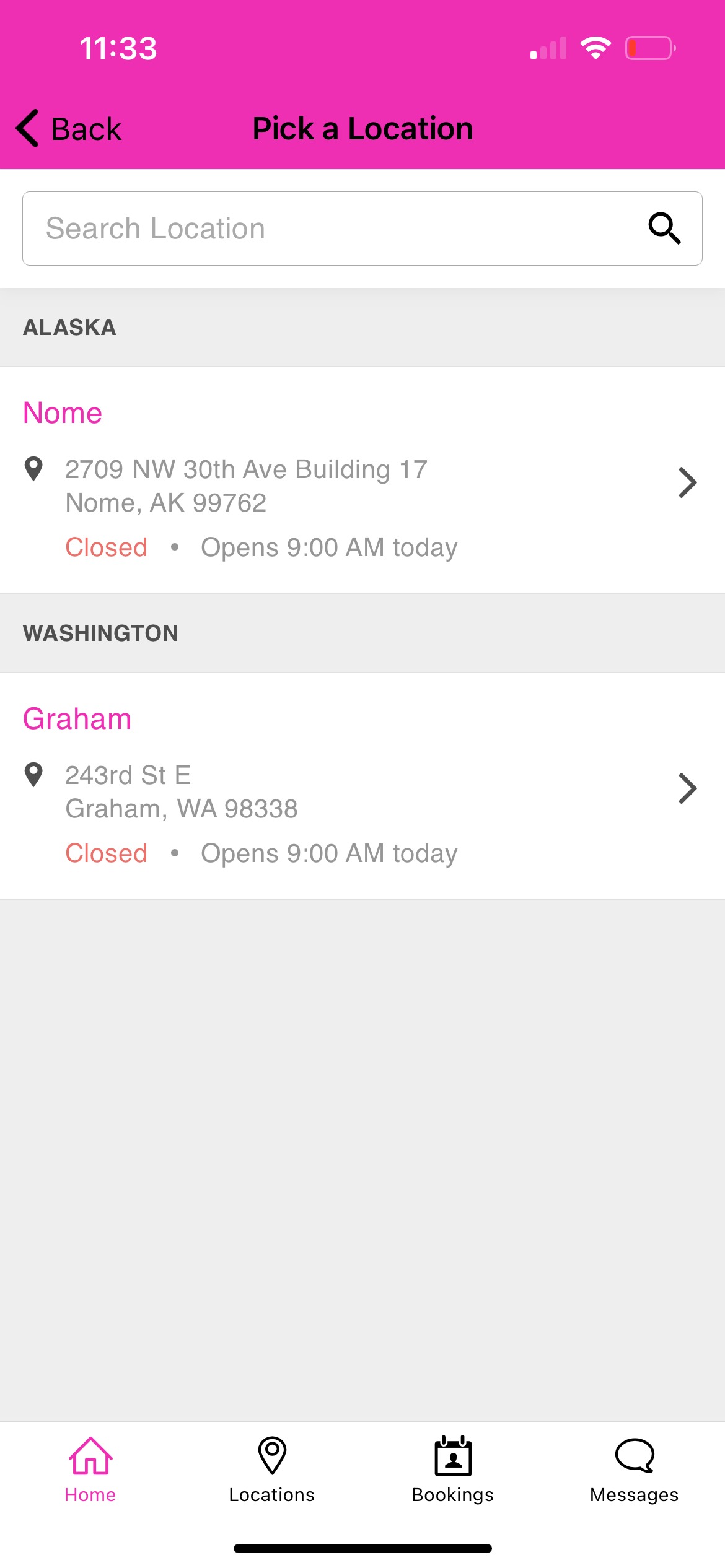
5. For individual memberships, tap Buy 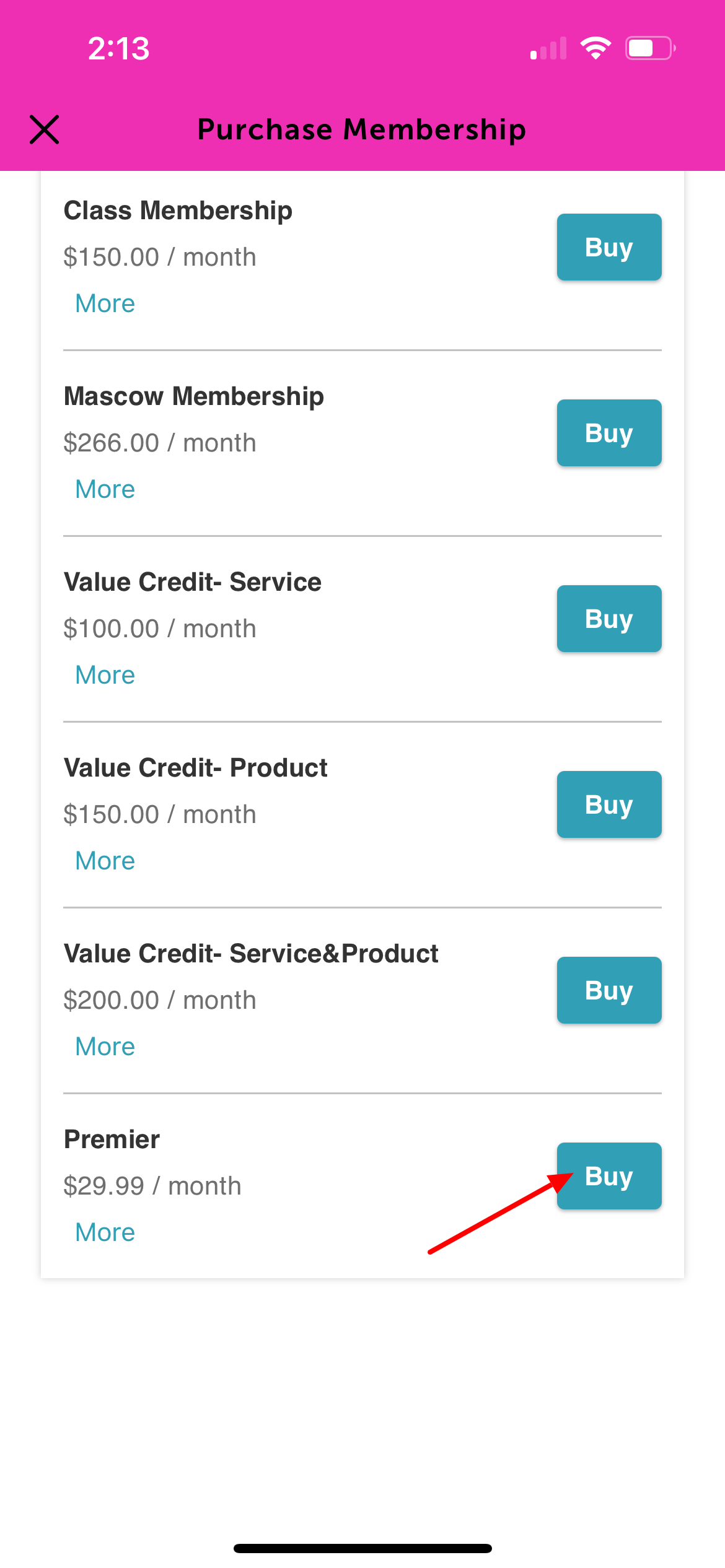
6. Choose the appropriate family member from the dropdown menu or add a new family member
7. Tap 'Buy' to proceed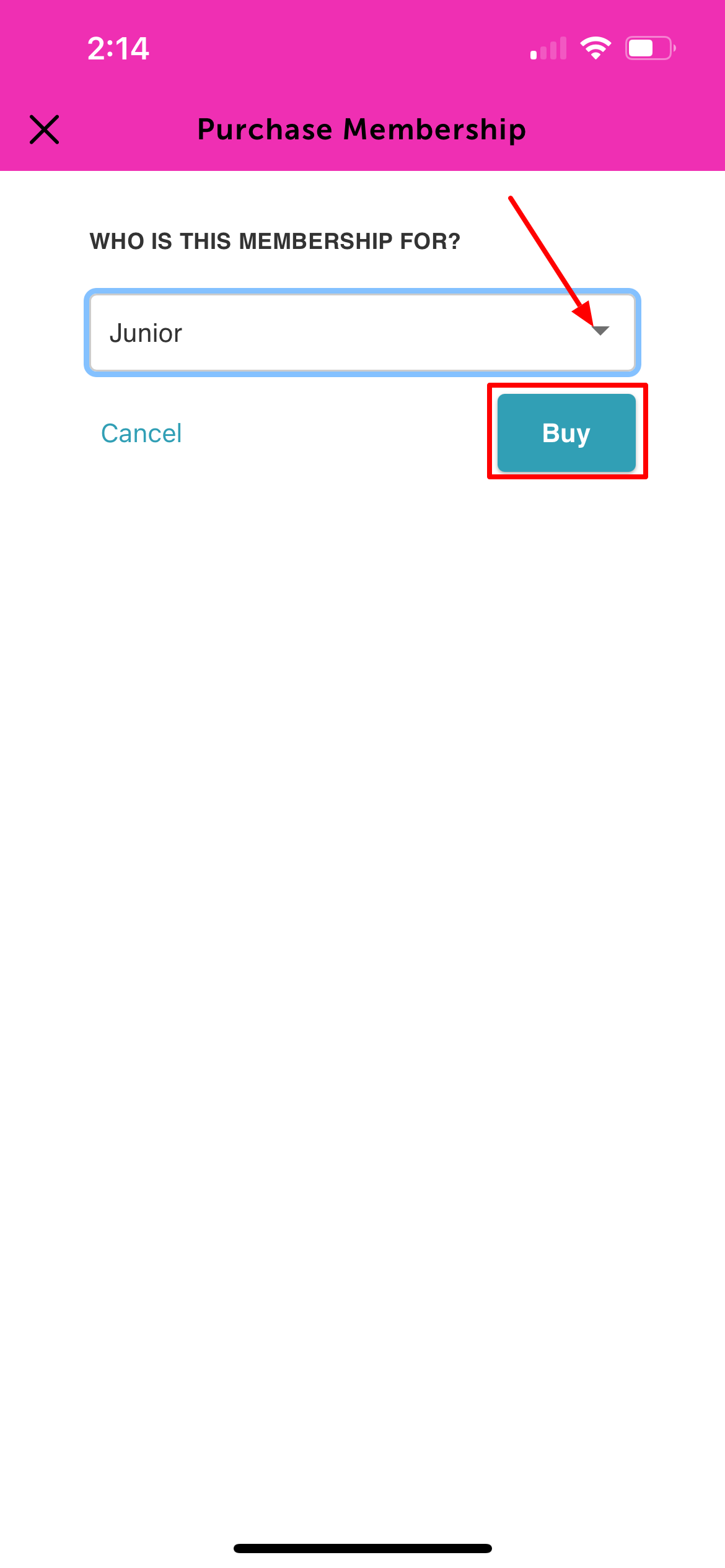
8. Enter payment details and tap 'Complete Purchase'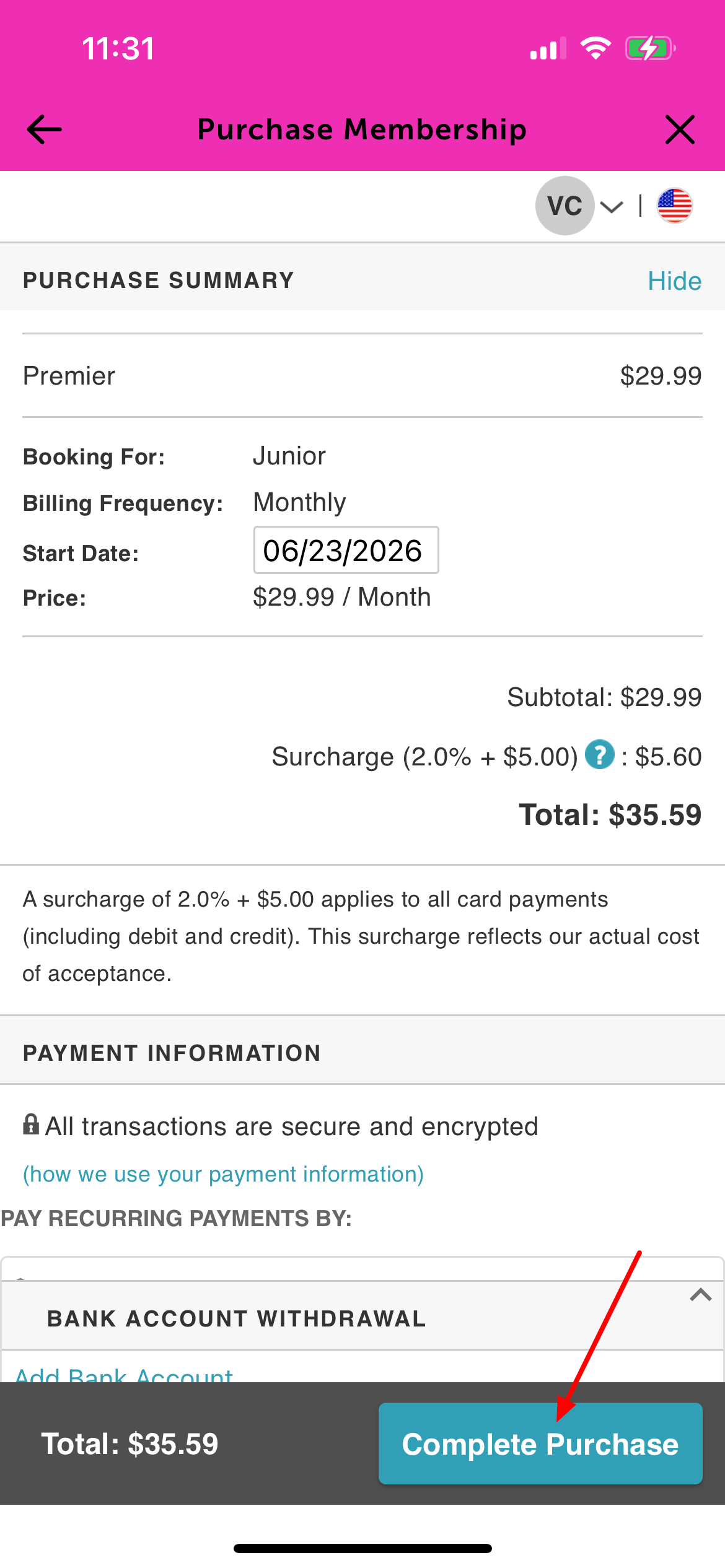
9. The confirmation screen will display the full membership details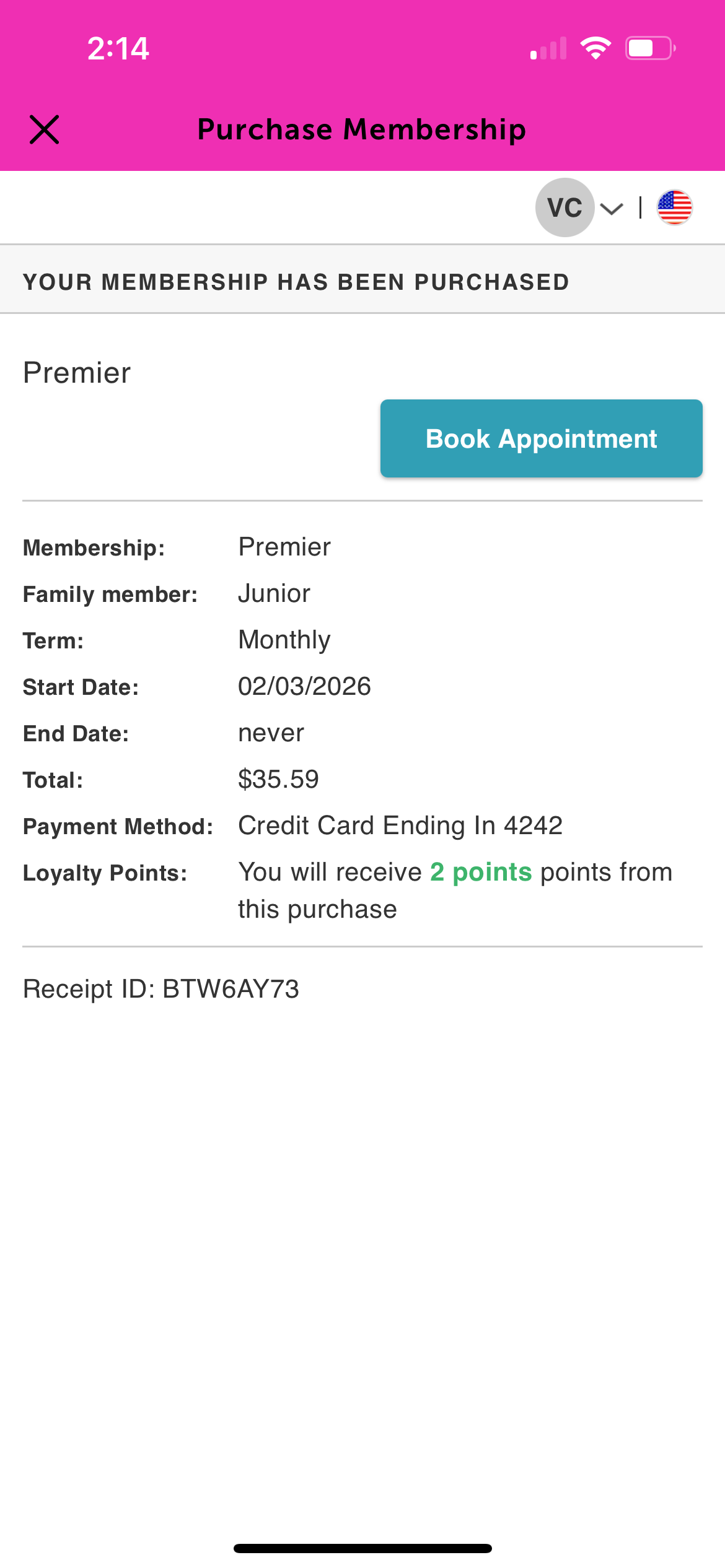
For more information contact support@mytime.com.
Related Articles:
Was this article helpful?
That’s Great!
Thank you for your feedback
Sorry! We couldn't be helpful
Thank you for your feedback
Feedback sent
We appreciate your effort and will try to fix the article