Global location groups help franchisors manage multiple locations efficiently by grouping sites that share identical pricing, inventory, or membership structures. Instead of updating each location individually, franchisors can apply changes at the group level to maintain brand consistency, simplify administration, and save time.
Things to know:
- The ability to create location groups is governed by the "Accessing Business Profile" access control setting.
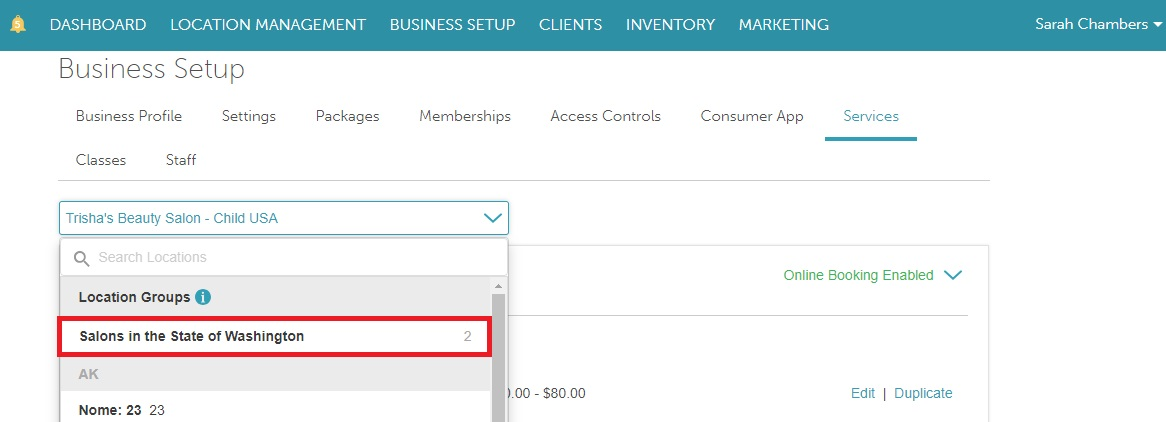
- Once created, location groups will be available in location filters across service menu, inventory, reports, packages, and memberships.
- Groups will only appear in the service menu if the setting "Do Prices Vary By Staff Member?" is set to one of the following:
- Prices are set by title per location or location group
- Prices are the same for all locations and staff members in a location group
- Any changes made at the group level automatically update all locations assigned to that group.
To create a location group at the parent level, simply:
- Go to Business Setup > Business Profile
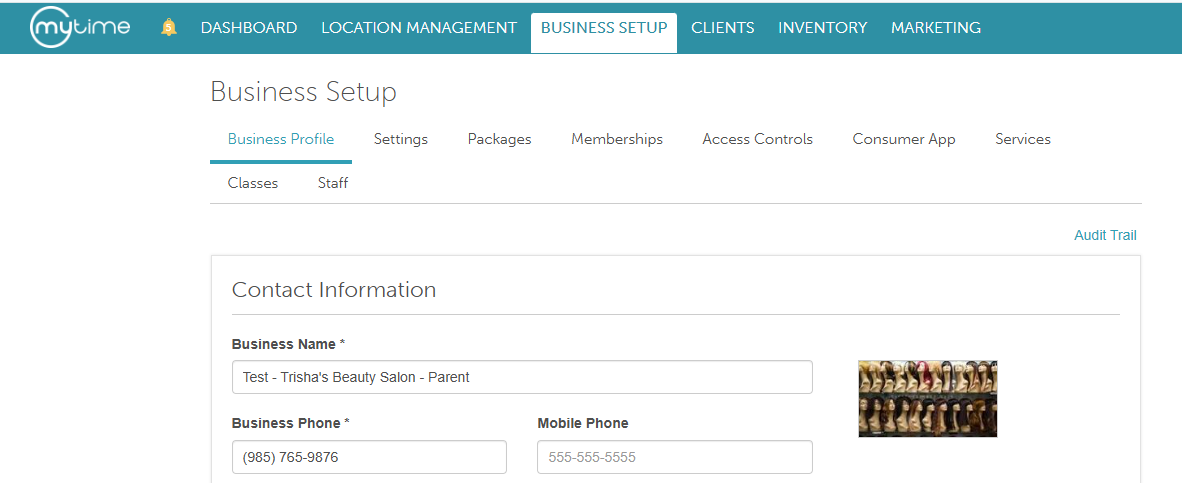
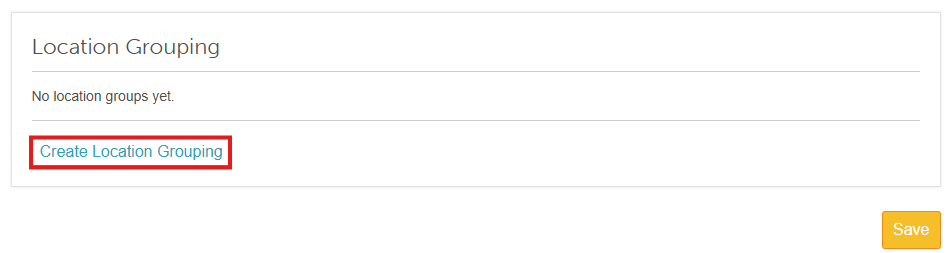
- Navigate to the "Location Grouping" section
- Click "Create Location Grouping"
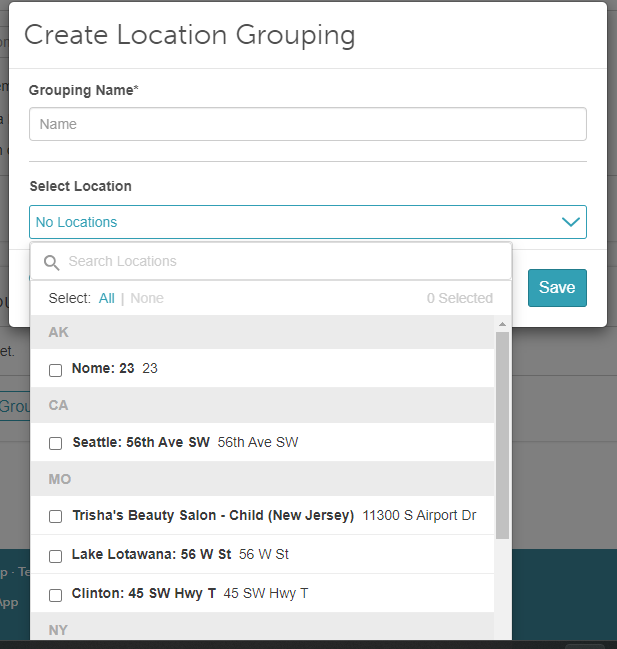
- In the modal, enter a Name for your location group (for example, Tier 1)
- Select the location(s) you want to include from the dropdown menu
- . Save
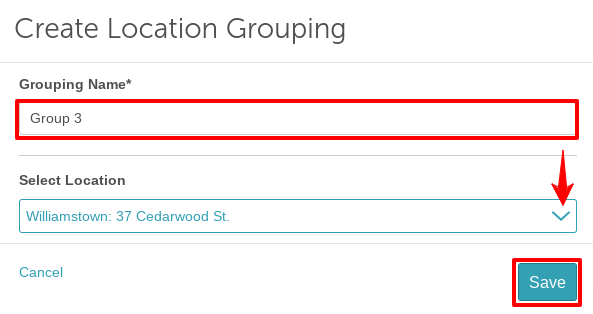
Once saved, your new group name will appear in dropdown filters across your account (including services, classes, memberships, packages, taxes, inventory, dashboards, and reports).
For more information, contact us at support@mytime.com.
Related Articles:
Was this article helpful?
That’s Great!
Thank you for your feedback
Sorry! We couldn't be helpful
Thank you for your feedback
Feedback sent
We appreciate your effort and will try to fix the article