Loyalty points earned from transactions can be viewed in multiple places. This article explains how clients can check their accumulated points and how businesses can access this information.
Things to know:
- The ability to view loyalty points earned is controlled by the “Accessing Loyalty Points” access control setting.
- Clients can instantly view their loyalty points during checkout or by logging into their account through the booking widget.
- Loyalty points are calculated based on the amount spent before taxes and tips are applied.
- Clients earn points for all purchases made on behalf of family members or pets linked to their account.
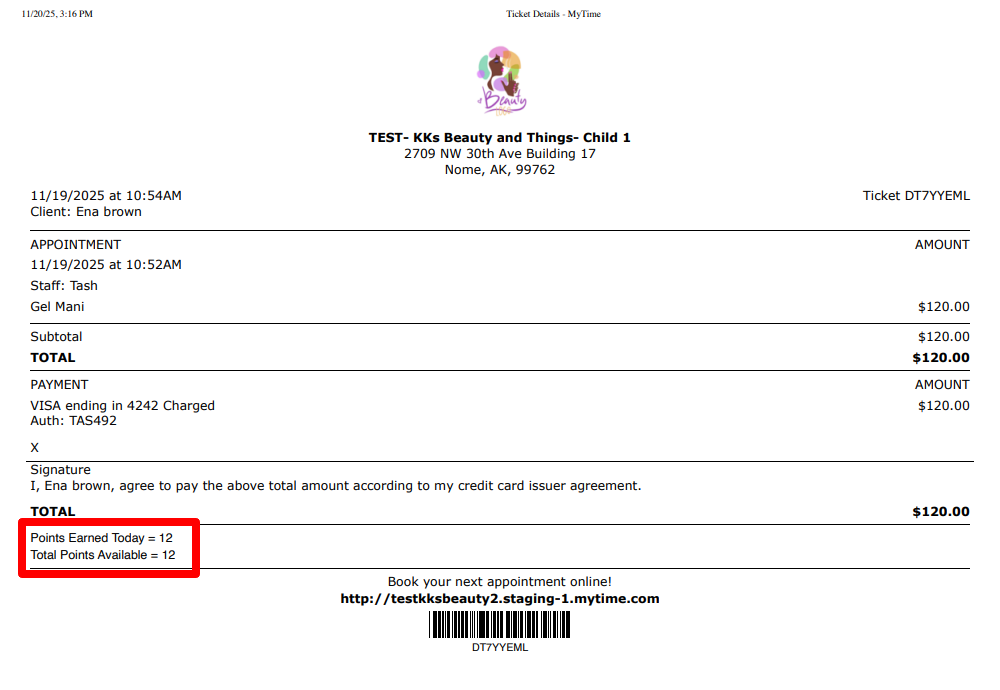
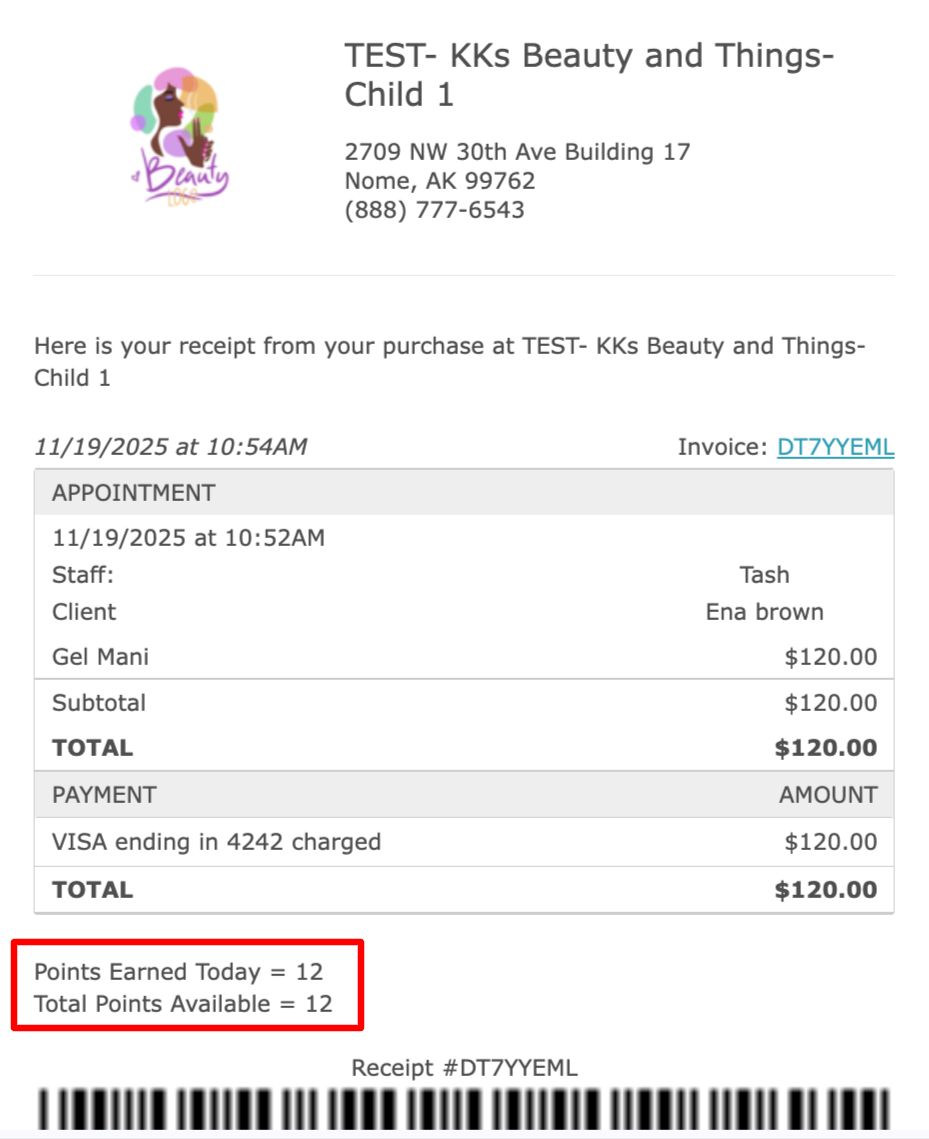
- Points will appear on both printed and electronic receipts after each purchase.
- Points are not awarded for events or for purchases paid using a gift card.
CONTENTS
Viewing Loyalty Points
Client Profile
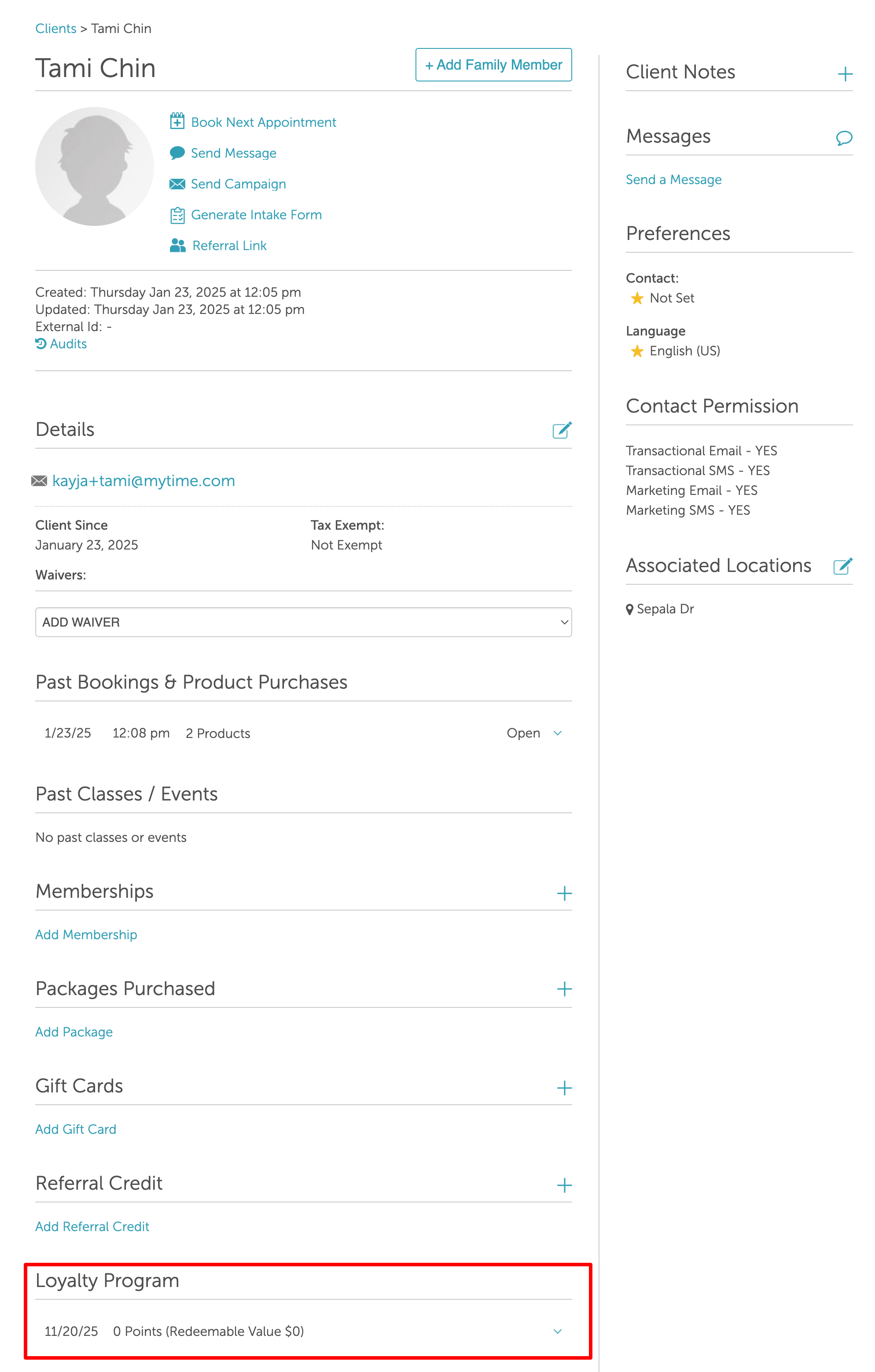
Loyalty points can be viewed in the ‘Loyalty Program’ section of the client’s profile.
Closed Tickets
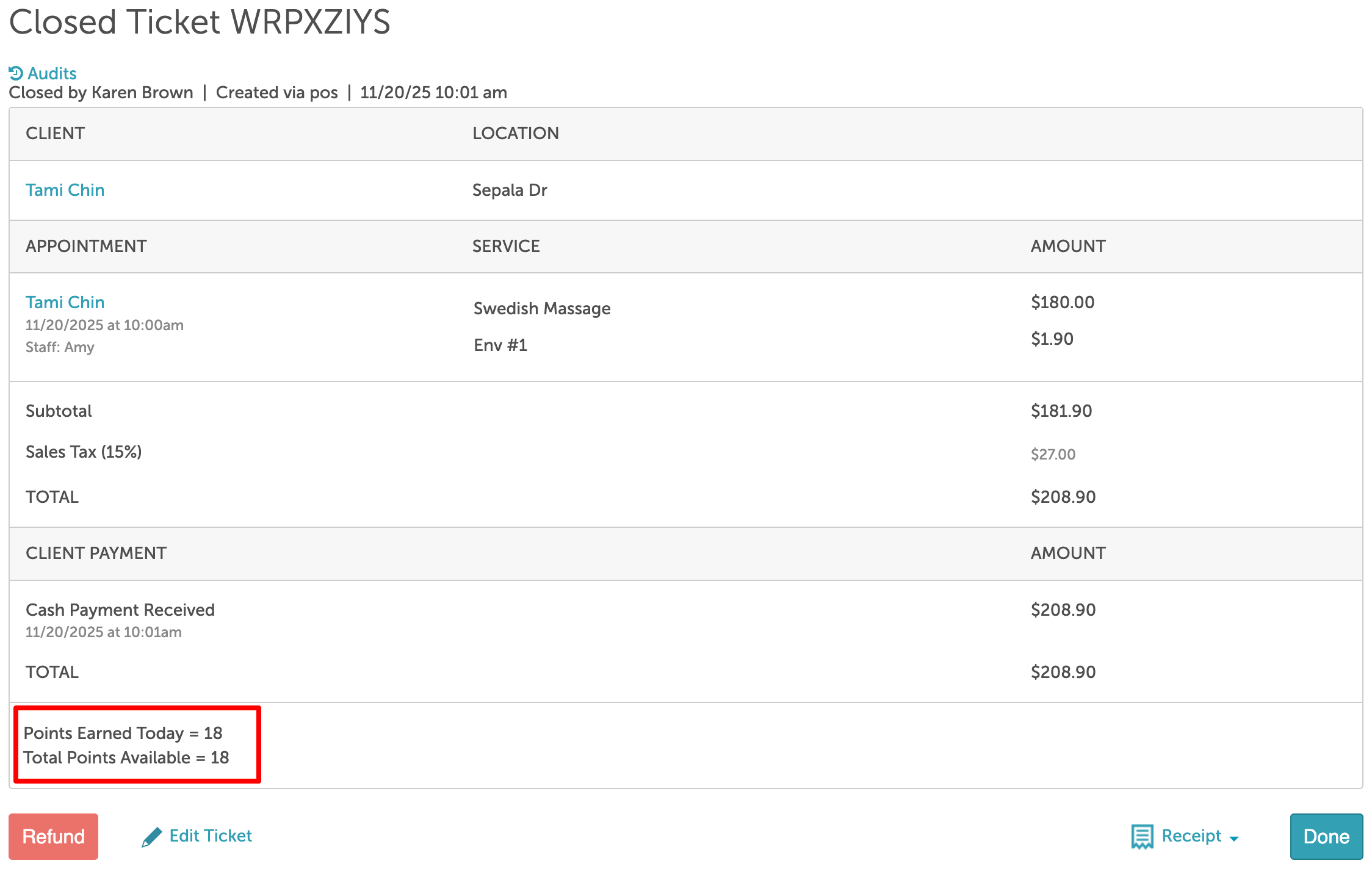
Loyalty points earned are displayed at the bottom of closed tickets.
Client Viewing Loyalty Points
Online Booking Widget Confirmation
The booking confirmation page will indicate whether the client will earn loyalty points for that appointment.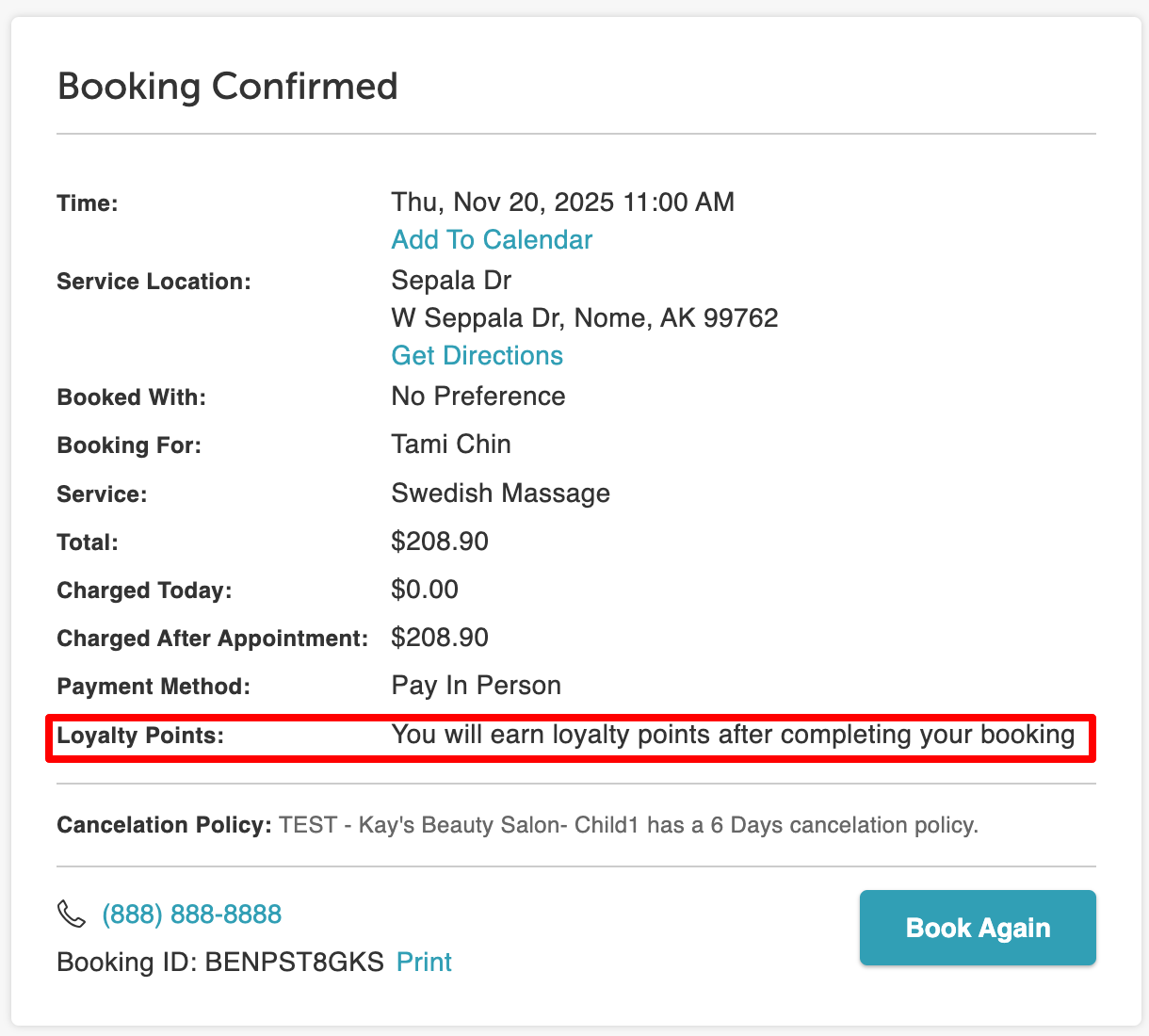
Account Settings > Loyalty Program
Clients have the option to access their loyalty points via the account settings.
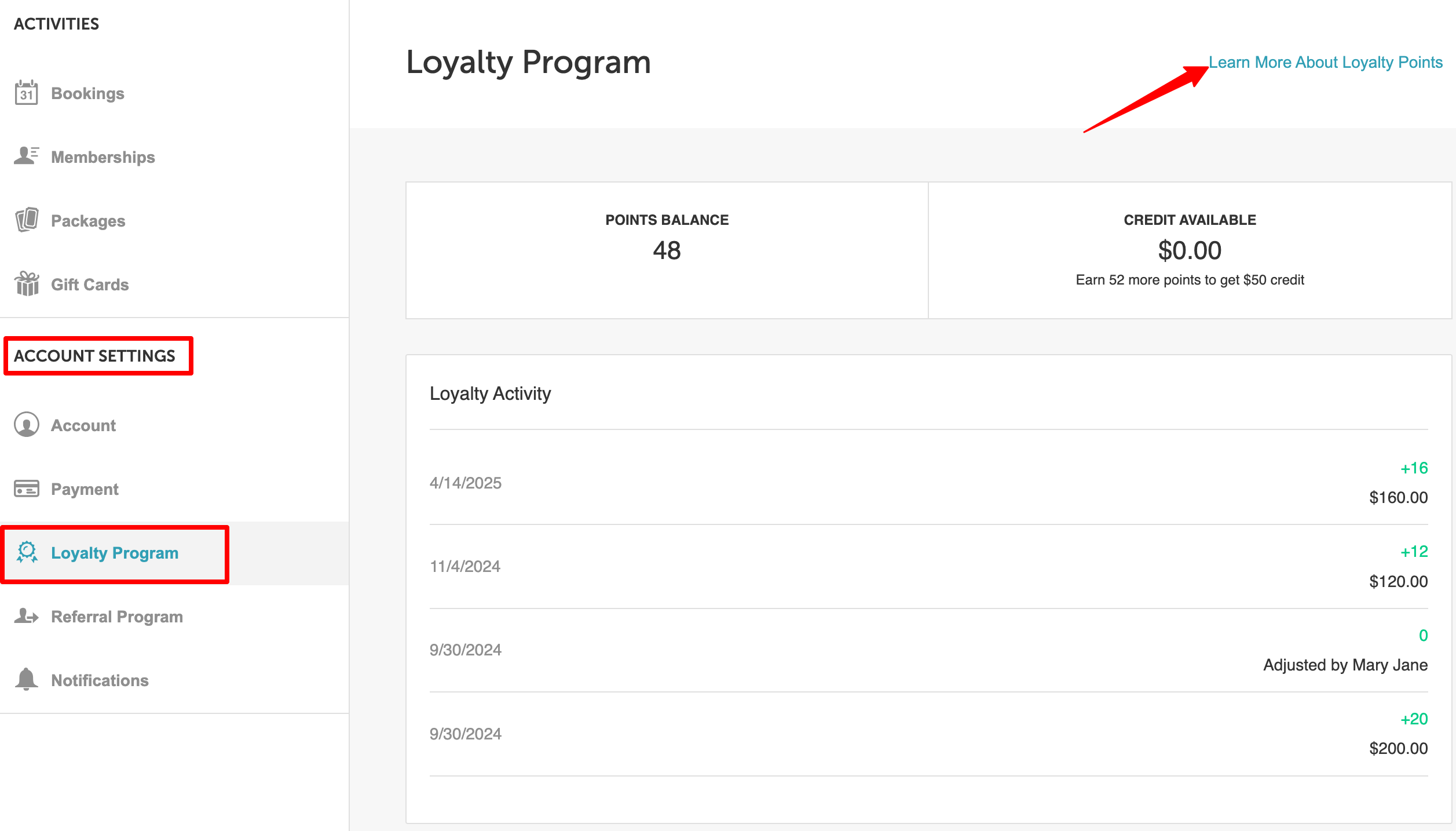
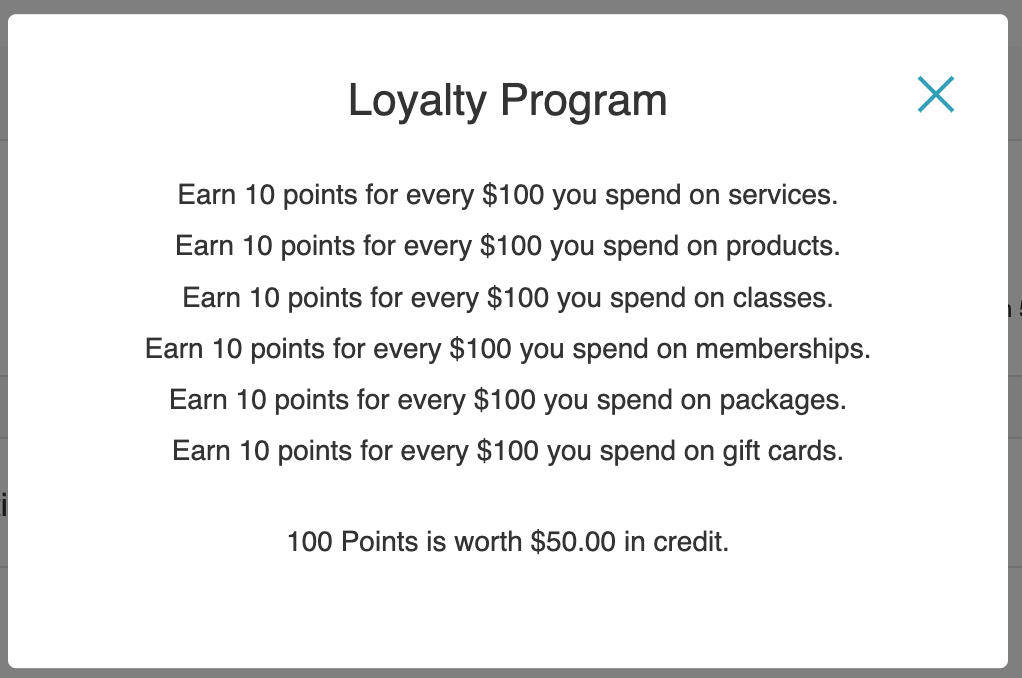
Clicking the "Learn More About Loyalty Points" hyperlink in the top right corner will reveal information about your loyalty program. This action will prompt a pop-up window to appear, providing further details.
Checkout page on the Booking Widget
Loyalty points become visible on the checkout page once they are redeemable. Clients can utilize these points by clicking on the "Apply XXX Loyalty Points" link.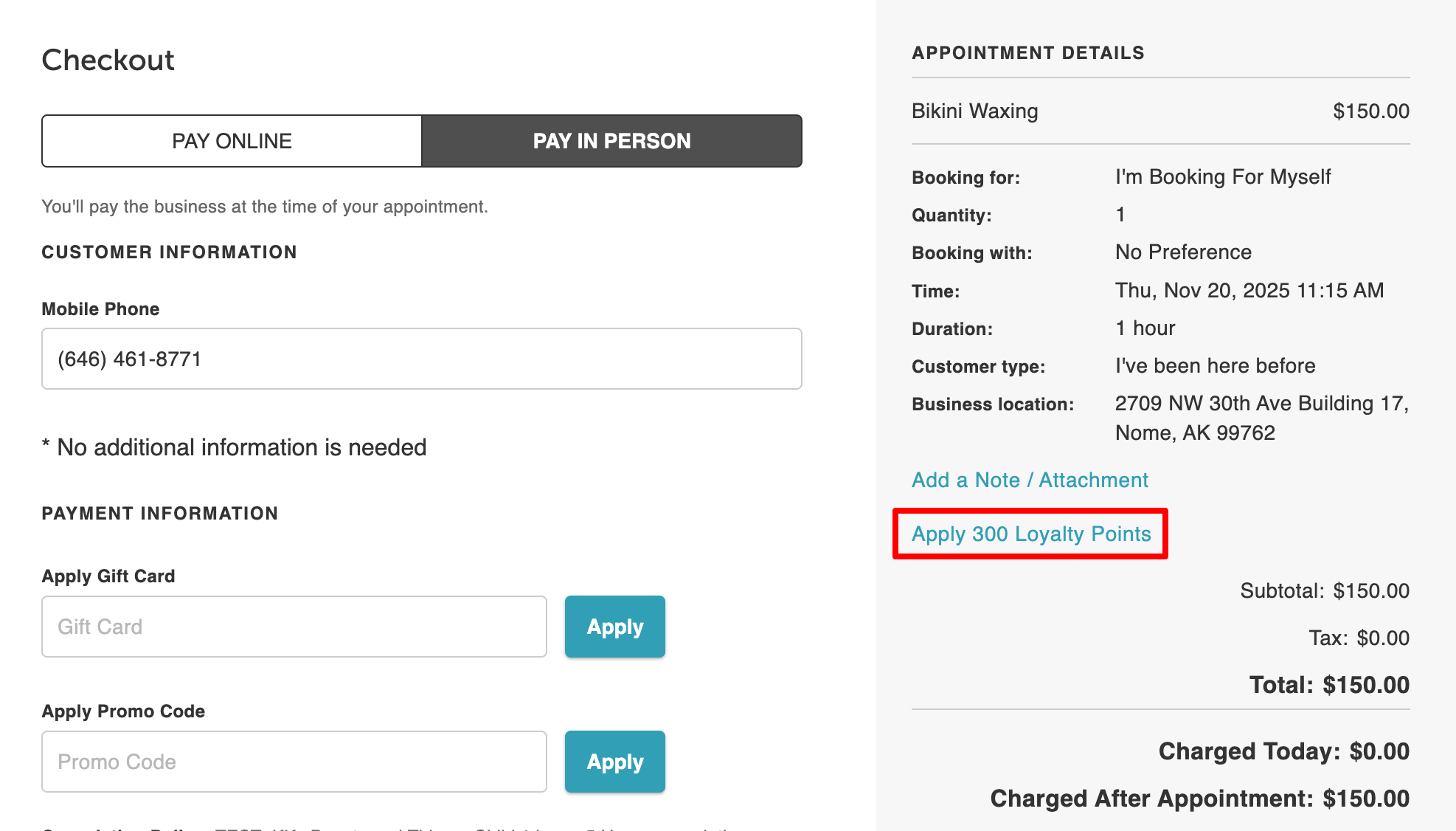
The points displayed on the checkout page will be determined by both the available amount and the cost of the purchase.
Printed Receipt
Emailed Receipt
If you have any questions, please contact our Support Team at support@mytime.com.
Related Articles:
- Loyalty Program Configuration
- Loyalty Points on Client Profile
- Editing Loyalty Points on Client Profiles
- Redeeming Loyalty Points in POS
- Loyalty Program on My Account
- Redeeming Loyalty Points Online
- Loyalty Activity Report
Was this article helpful?
That’s Great!
Thank you for your feedback
Sorry! We couldn't be helpful
Thank you for your feedback
Feedback sent
We appreciate your effort and will try to fix the article