Clients can delete their MyTime user account directly from the Guest App. This article explains how to do so and clarifies what happens when an account is deleted.
Things to know:
- Availability: Account deletion is currently available only in the iOS version of the Guest App
- User Account vs. Client Profile:
- User Account (Online Identity): Includes the client’s email and password. These accounts can be created via MyTime.com, the booking widget, or the Guest App, and are required for clients to book appointments or make purchases online.
- Client Profile (Business Record): Stored internally under the Clients tab in your MyTime account. A person can have a client profile in your business, containing their history and contact information without ever creating an online user account.
- When a user account is deleted:
- Only the login credentials (email and password) are removed
- The client profile in your system remains fully intact
- POS tickets, appointments, historical reports, and other store-level data are unaffected
- This ensures clients can remove their online login without impacting the business records you maintain
To delete your MyTime user account from an iOS device:
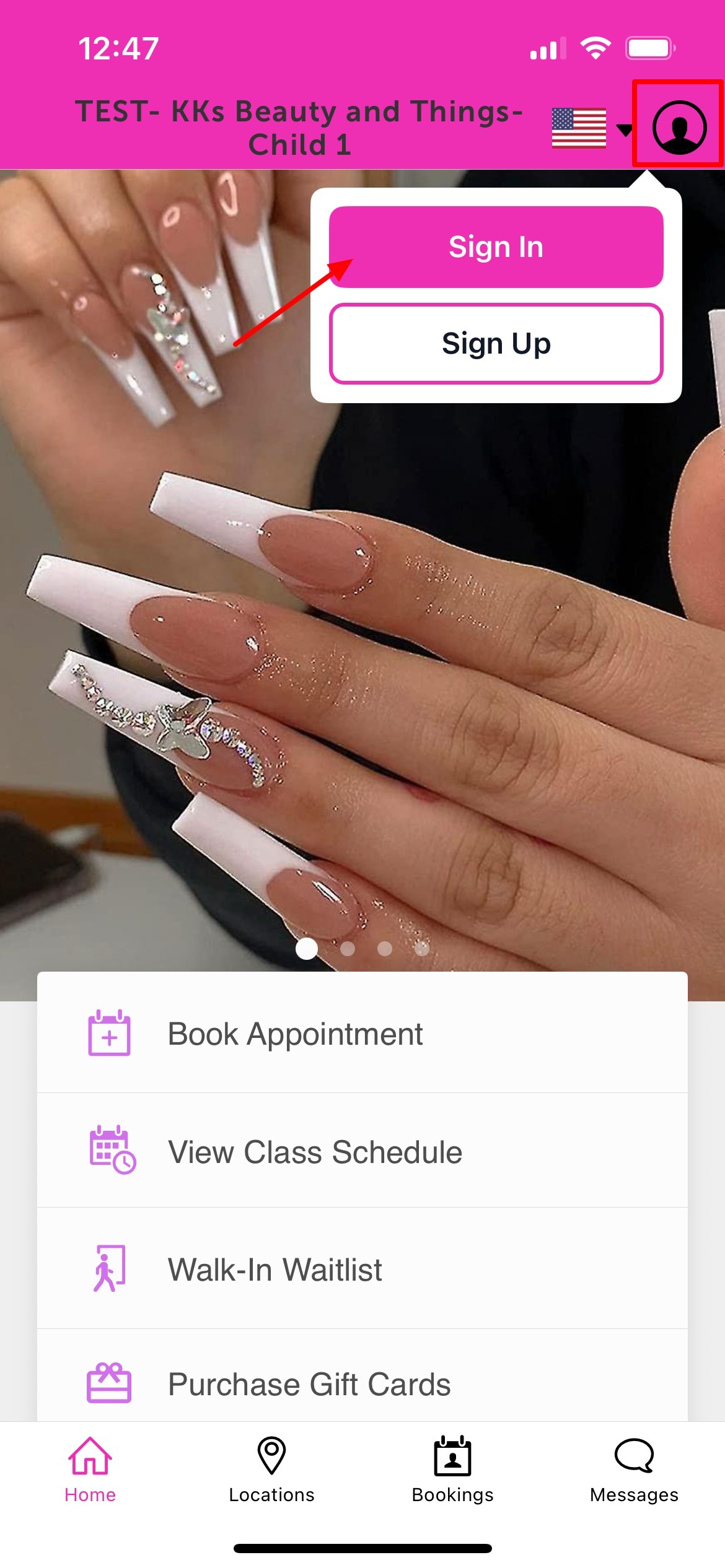
- Upon downloading, navigate to the home screen and tap on the account icon located in the top right corner, tap sign in
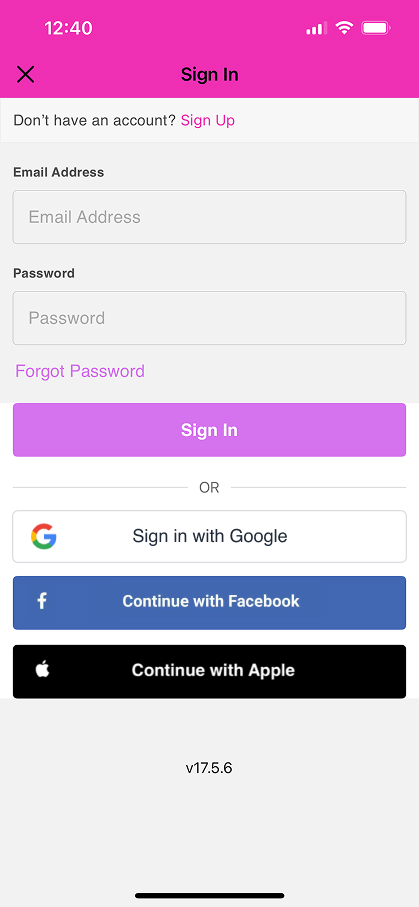
- Choose their login method:
- Standard: Enter their registered email address and password, then click 'Sign In'.
- Social Login: Select 'Continue with Google,' 'Continue with Apple,' or 'Continue with Facebook' to use their existing social media credentials.
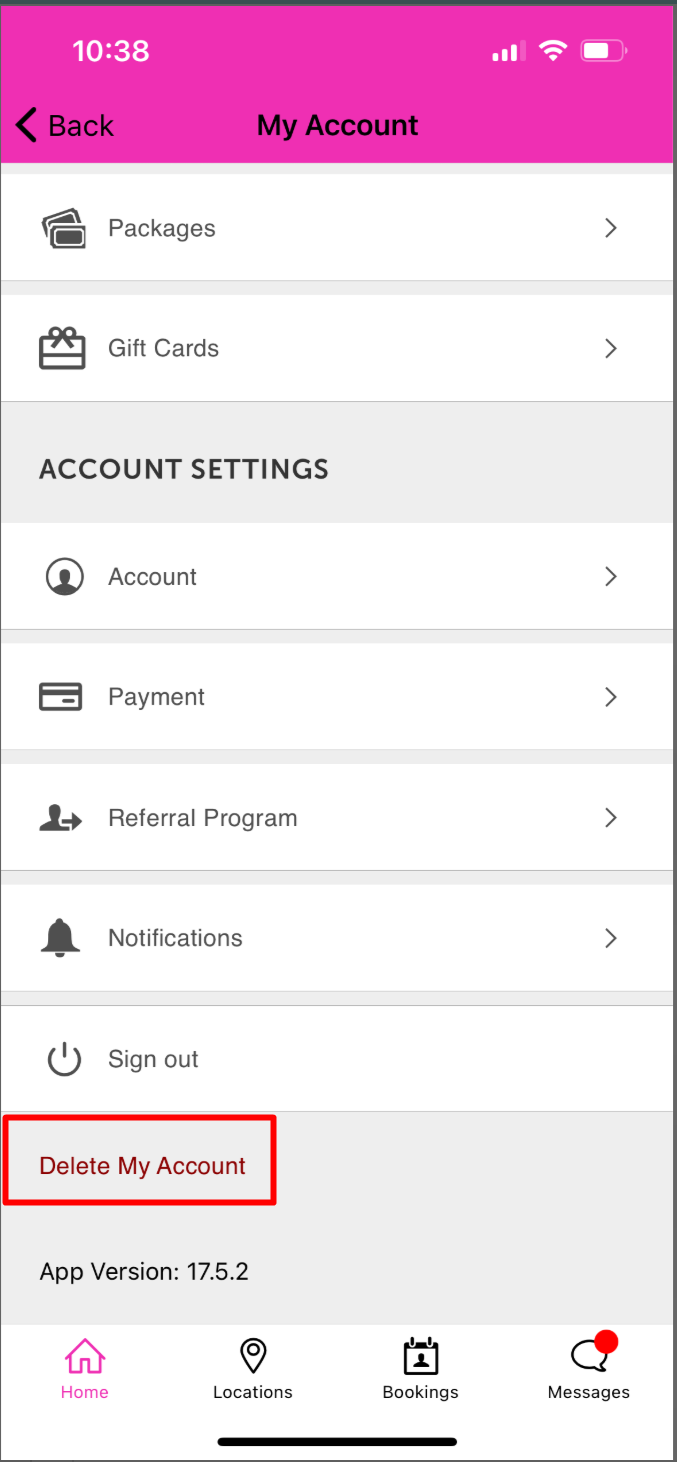
- After signing in, you will be directed to the My Account page
- Scroll to the bottom and select Delete My Account
- Confirm the deletion by tapping Delete
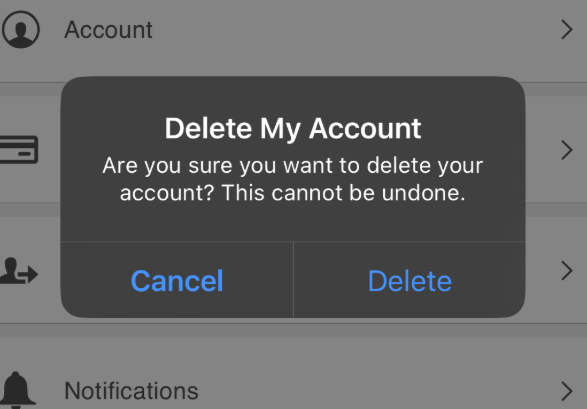
- Once confirmed, your user account will be deleted and you will be logged out of the Guest App
Was this article helpful?
That’s Great!
Thank you for your feedback
Sorry! We couldn't be helpful
Thank you for your feedback
Feedback sent
We appreciate your effort and will try to fix the article