Afterpay allows your clients to split online gift card and package purchases into four interest-free installments, while your business receives the entire payout upfront. This feature helps drive higher online sales by making multi-session packages and high-value gift cards more affordable for your clients.
Things to know:
- Afterpay only applies to online purchases of gift cards and packages. It cannot be selected for online appointment / class bookings or membership purchases.
- To enable online purchases, the following steps must be completed:
- A Stripe payment account must be set up to accept Afterpay payments. If you do not have a payment account, please email processing@mytime.com for help.
- Your account must be live.
- Online booking must be enabled. Learn more here
- The "Enable Gift Card Purchase" company setting must be enabled
- In the package template, ensure that "Yes" is selected for the "Enable Online Purchase" setting.
When purchasing gift cards or packages online, clients can select Afterpay as their payment option during checkout:
- Navigate to your business website or booking widget
- If your business has multiple locations, select their preferred location
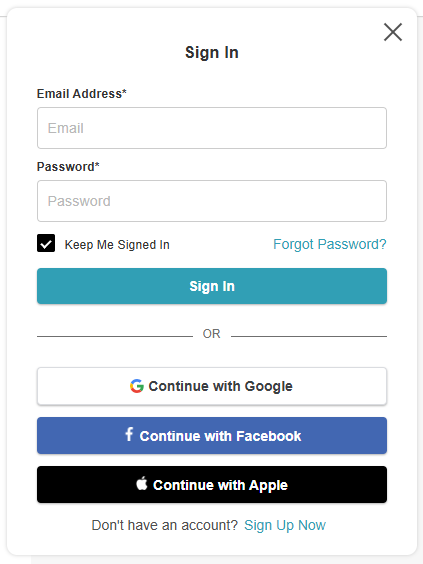
- Click the "Sign In" button at the top of the page
- Choose their login method:
- Standard: Enter their registered email address and password, then click 'Sign In'
- Social Login: Select 'Continue with Google,' 'Continue with Apple,' or 'Continue with Facebook' to use their existing social media credentials
- From the top navigation bar, click 'Packages' or 'Gift Cards'

- Select the desired item and enter required info where applicable, and click 'Complete Checkout' to proceed to the checkout page
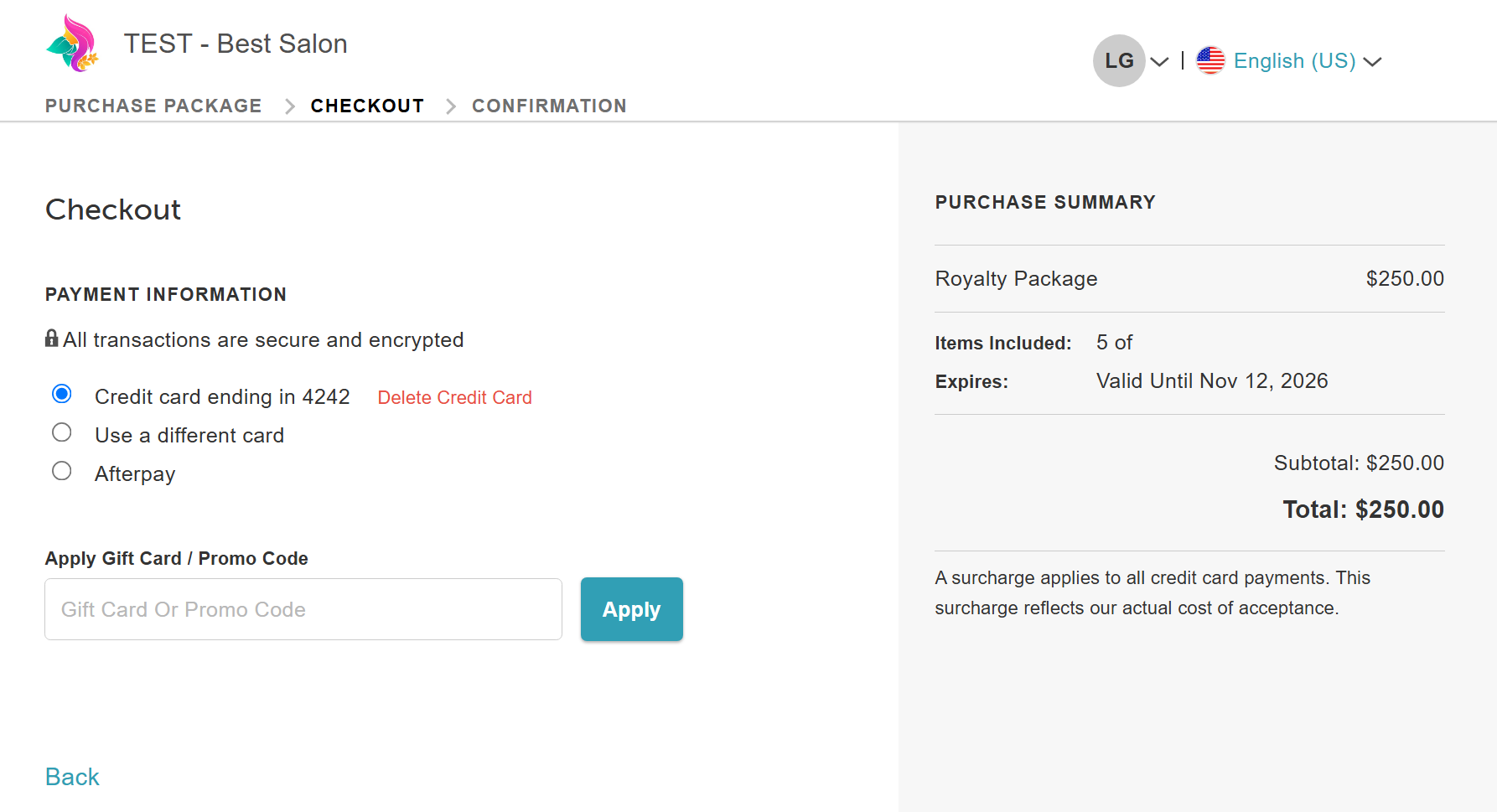
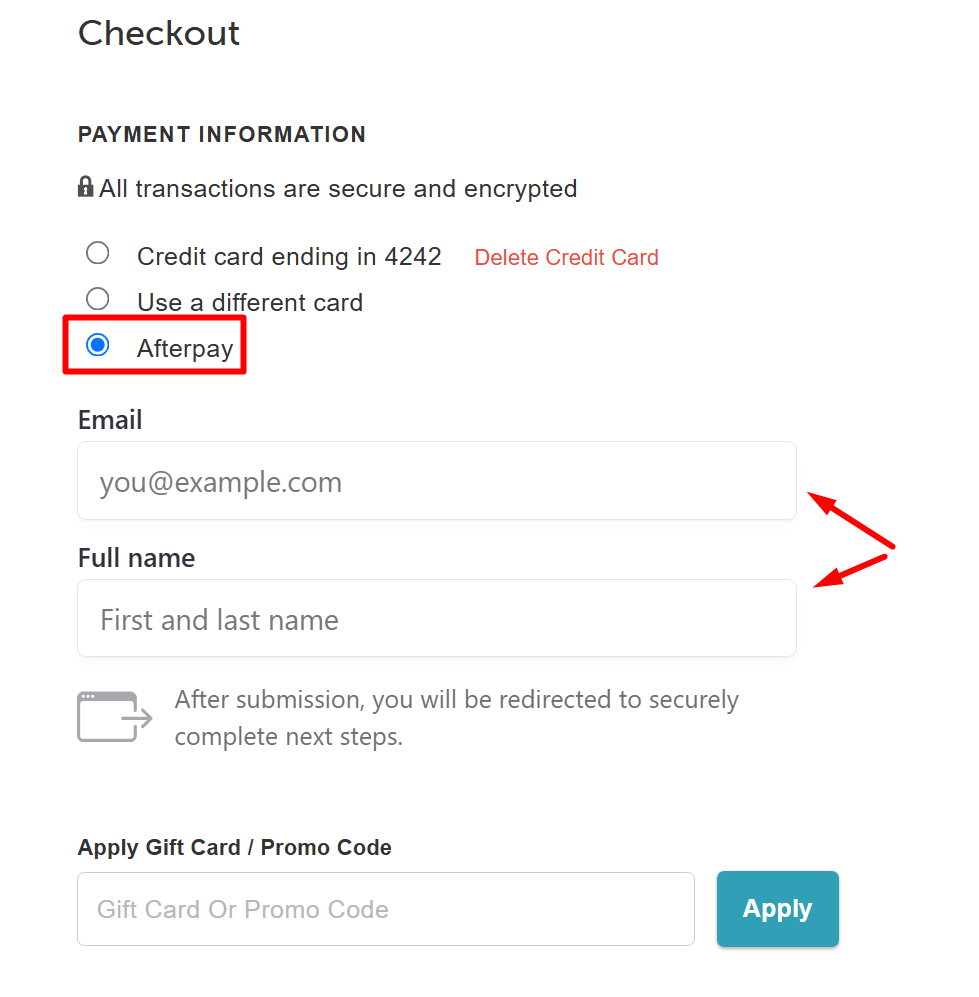
- Below the payment information, choose 'Afterpay' as their payment method
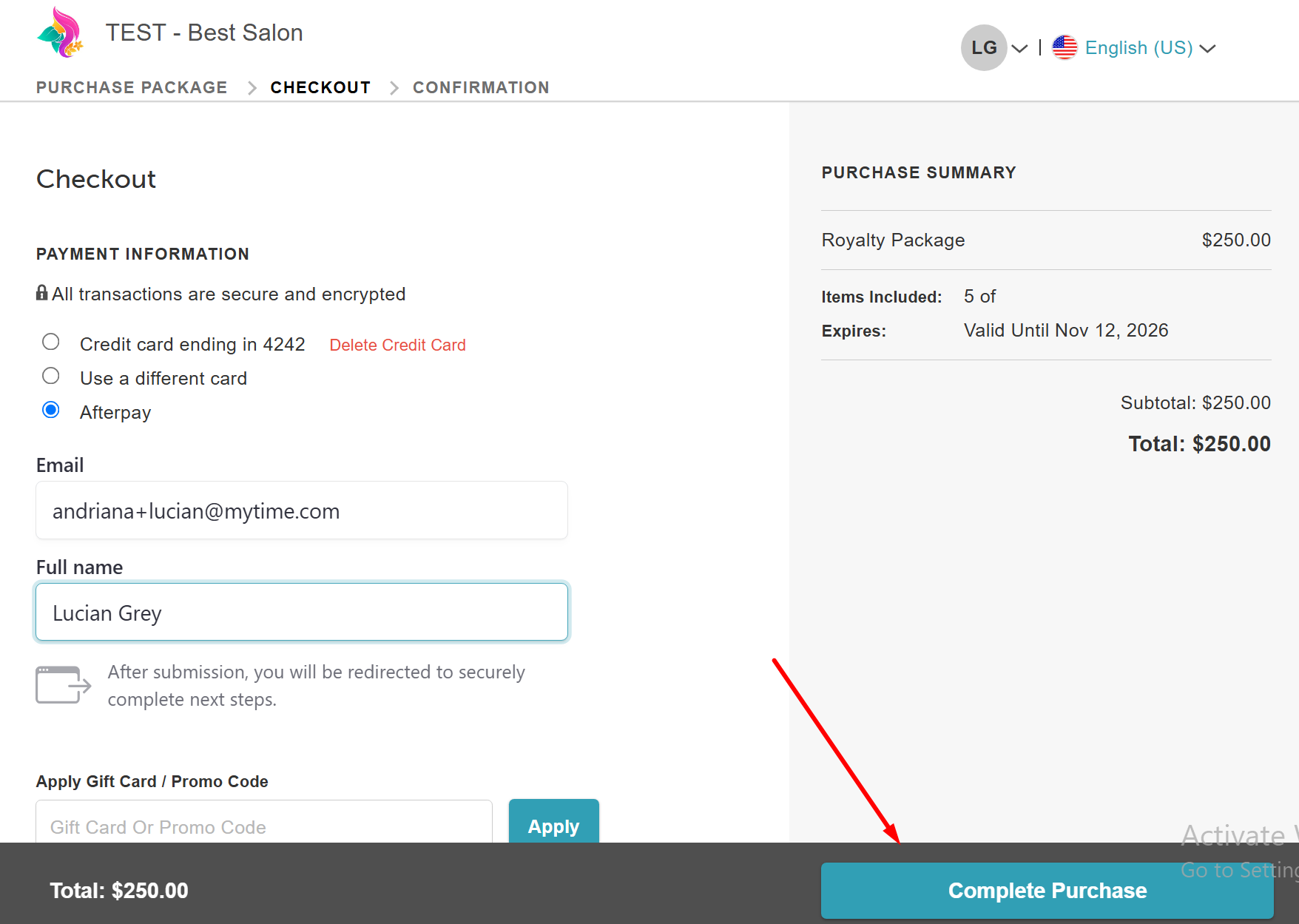
- Enter their name and email address
- Click ‘Complete Purchase’ to authorize their payment plan
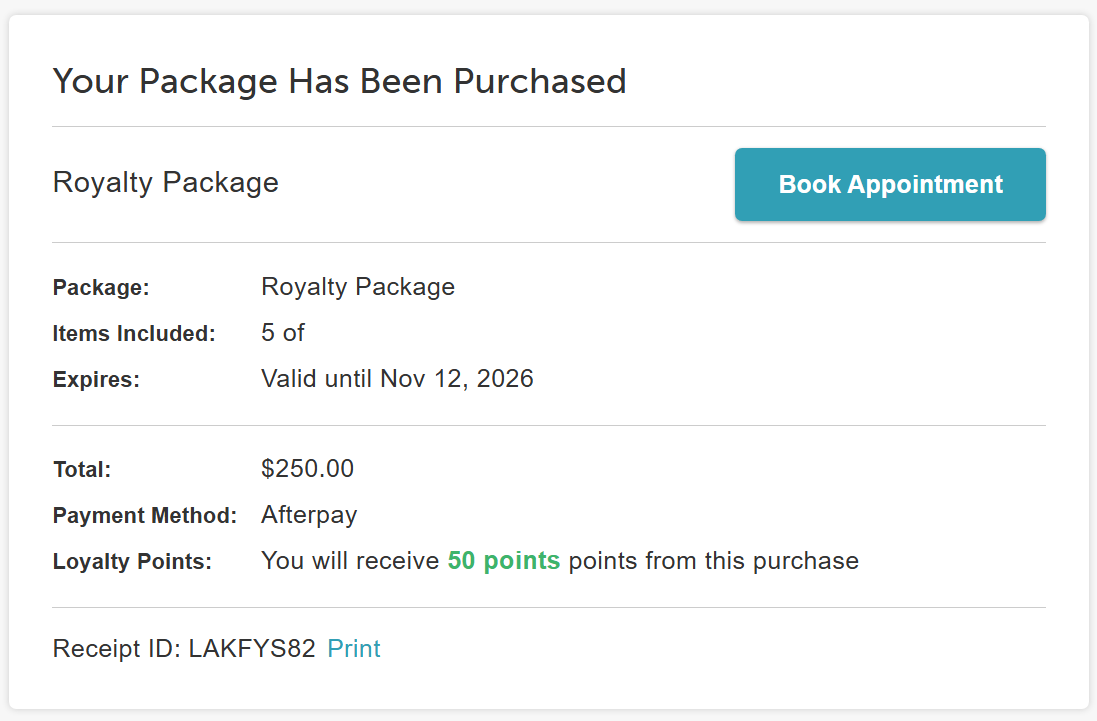
- Once approved, the page will refresh to display the confirmation, including a full payment breakdown for your gift card or package
For more information, contact us at support@mytime.com or (385) 233-6964.
Related Article:
Was this article helpful?
That’s Great!
Thank you for your feedback
Sorry! We couldn't be helpful
Thank you for your feedback
Feedback sent
We appreciate your effort and will try to fix the article