MyTime respects your privacy rights and gives you control over how your data is shared. You can opt out of targeted advertising and the sale or sharing of your personal information across our websites and booking flows.
Things to know:
- You can opt out using either of the following methods:
- Automatic Opt-Out (GPC): If you use a privacy-focused browser (such as Brave or DuckDuckGo) or have Global Privacy Control (GPC) turned on (for example, in Firefox), MyTime automatically detects the signal and opts you out immediately upon page load.
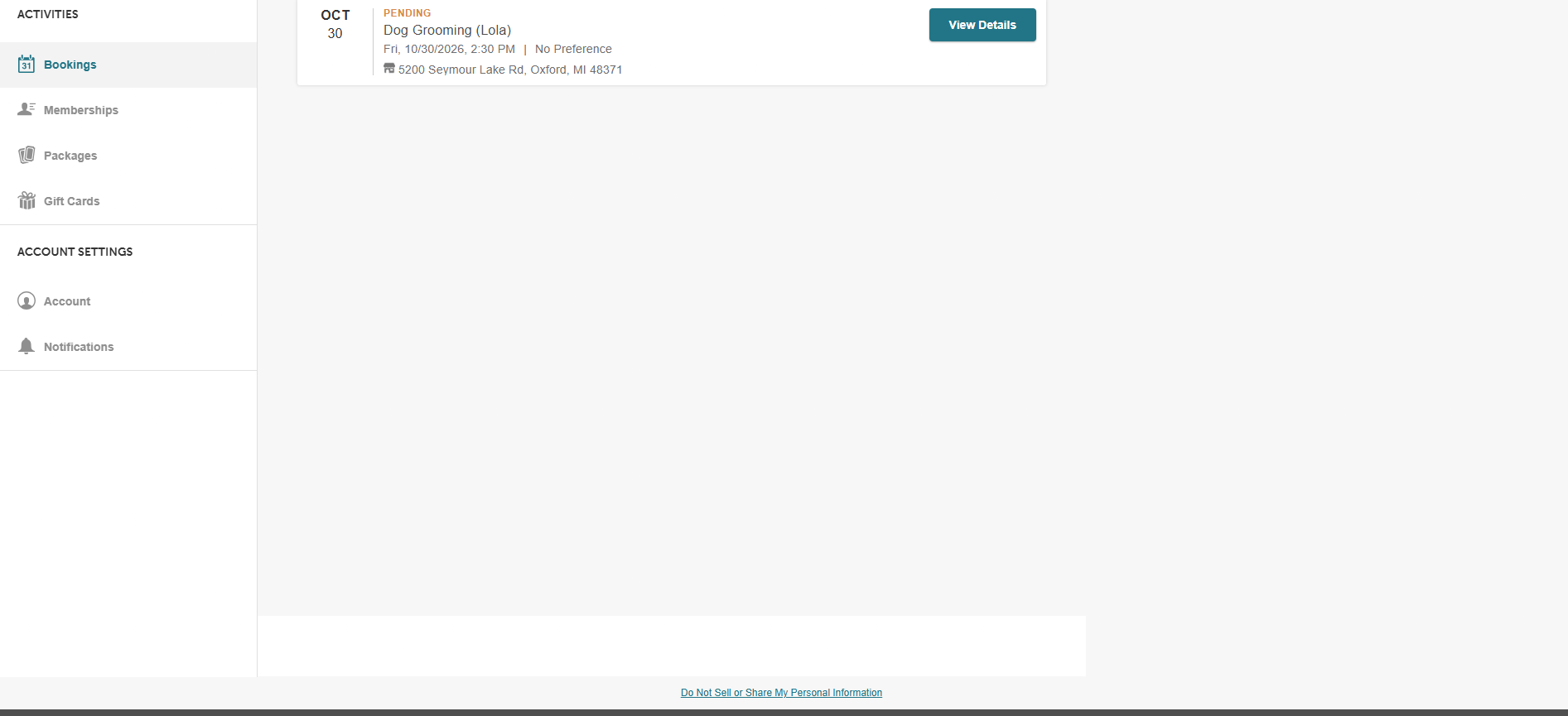
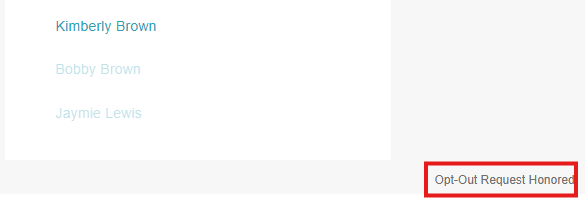
- One-Click Manual Opt-Out: You can opt out at any time by selecting Do Not Sell or Share My Personal Information in the footer of any booking step or express checkout. Once selected, the text immediately updates to confirm: Opt-Out Request Honored.
- Automatic Opt-Out (GPC): If you use a privacy-focused browser (such as Brave or DuckDuckGo) or have Global Privacy Control (GPC) turned on (for example, in Firefox), MyTime automatically detects the signal and opts you out immediately upon page load.
- Remembered Across Browsers & Devices:
- Browser Storage: Your opt-out choice is saved locally on your browser for one year across all booking widgets.
- Cross-Device Syncing: When you sign into your MyTime account, your opt-out status syncs and applies across any device or browser where you log in.
- Browser Storage: Your opt-out choice is saved locally on your browser for one year across all booking widgets.
- Marketing Trackers Blocked vs. Analytics Retained:
- Blocked: Third-party advertising and marketing trackers, including the Meta/Facebook Pixel, Google Tag Manager, and Google ad conversion tracking, are completely blocked from loading.
- Retained: Essential performance reporting through standard Google Analytics continues to operate normally, and required functional scripts (such as Facebook Social Login) remain available so you can still sign in.
- Full Operational Continuity: Booking appointments, completing express checkouts, making purchases, processing payments, and receiving transactional notifications continue seamlessly without disruption.
- Blocked: Third-party advertising and marketing trackers, including the Meta/Facebook Pixel, Google Tag Manager, and Google ad conversion tracking, are completely blocked from loading.
To opt out, clients can:
- Navigate to the booking page or widget.
- Scroll to the bottom of the page and select Do Not Sell or Share My Personal Information.
- Once selected, the link text updates to Opt-Out Request Honored.
- (Optional) Sign into your MyTime client account before or after selecting the link to automatically sync your opt-out choice across any other device or browser where you log in.
For more information, contact us at support@mytime.com or (385) 233-6964.
Related Articles:
Booking Appointments Online for Clients
Booking Appointments for Multiple Pets Online
Booking Appointments for a Single Pet on Guest App
Booking Appointments for Multiple Family Members Online
Booking Appointments for a Single Family Member on Guest App
Configuring Google Analytics Tag Manager Tracking in Google
Google Analytics Tag Manager Tracking In MyTime
Was this article helpful?
That’s Great!
Thank you for your feedback
Sorry! We couldn't be helpful
Thank you for your feedback
Feedback sent
We appreciate your effort and will try to fix the article